Userlytics: Scam or Legit? A Tester's Check for 2026
Userlytics is legit: a Miami-based UX testing firm paying $10 to $50 a study by PayPal only. Invites aren't guaranteed and no PayPal means no pay.

By Adrian Cole, Company and platform checks writer
Updated 16 min read
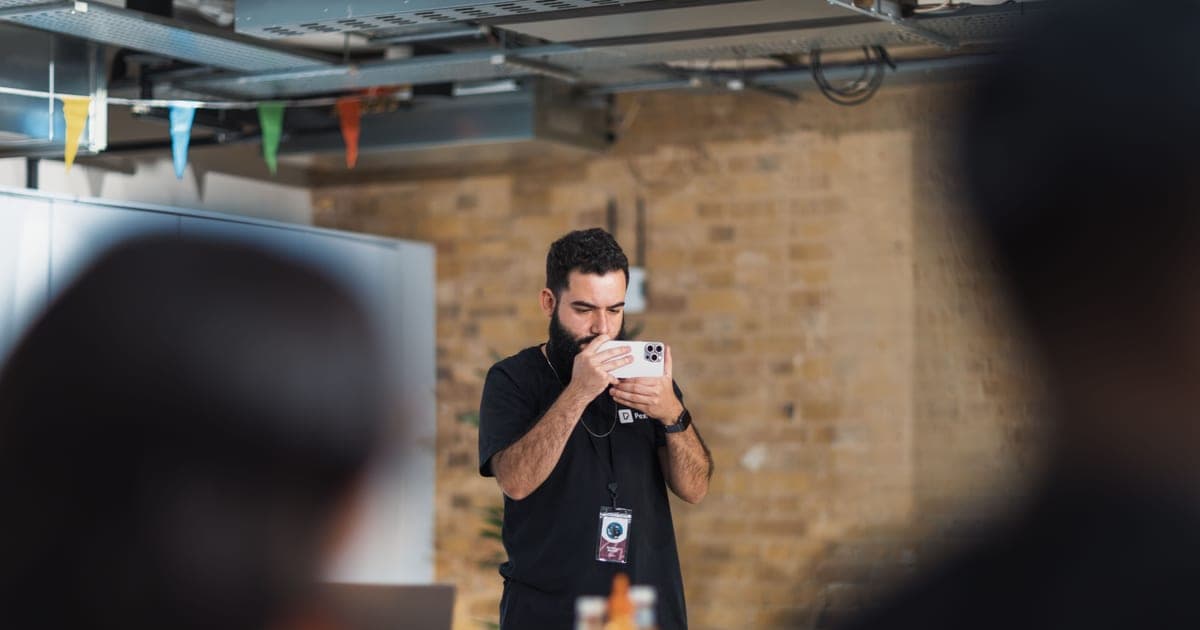
Userlytics is legit. It's a real user experience (UX) research company, incorporated in Delaware with offices in Miami, Madrid and Mississauga, and it pays testers through PayPal for approved tests. It isn't a job, though, and most people earn very little from it. Invitations are random, screeners turn away many applicants, and a client's poor rating can mean the test isn't paid.
This page covers the evidence, what Userlytics pays and when, which countries can realistically use it, why some testers call it a scam, and how to spot people pretending to be Userlytics.
Quick answer
Userlytics is a legitimate usability-testing platform, not a scam. USERLYTICS Corporation is a Delaware company based in Miami. It charges testers nothing and pays approved tests by PayPal only, in US dollars, or in euros for testers in the EU and UK (as of November 2026). Expect occasional small payments, listed at $10 to $50 a study, not a steady income.
Is Userlytics legit? The evidence
Yes. Every basic check a real company should pass, Userlytics passes, and the details are on its own legal and help pages. The table below shows what we checked and where, in November 2026.
| Check | What Userlytics' own pages say | Source |
|---|---|---|
| Registered business | USERLYTICS Corporation, incorporated in Delaware, 1200 Brickell Avenue, Suite 1950, Miami, Florida 33131 | Tester terms, updated September 2026 |
| Age of company | Established in 2009, CEO Alejandro Rivas Micoud, offices in Miami, Madrid and Mississauga | Userlytics news page, updated August 2026 |
| Cost to join | Sign-up asks for an email, confirmation you're 16 or over, and a short practice test. No fee is mentioned anywhere | Paid UX testing page |
| Payment method | PayPal only | Help centre, updated October 2026 |
| Payment schedule | Approved tests paid on Fridays every two weeks, about 15 days after approval | Help centre, updated December 2025 |
| Contact | [email protected], plus phone numbers for the US and Canada (+1 786 796 1852) and the UK (+44 20 39660575) | Tester FAQ |
| Legal terms | Governed by Florida law, disputes go to American Arbitration Association arbitration in Florida | Tester terms |
The business model also makes sense. Userlytics sells usability research to companies: moderated and unmoderated usability tests, card sorting, tree testing and benchmarking, according to its news page. Clients pay to watch real people use their websites and apps, and part of that money goes to the testers. Nobody has to pay to join for the model to work, which is the opposite of how job scams operate.
Userlytics says on the same page that it has a panel of over 2 million participants. That's the company's own claim, and it explains a lot about the experience: a huge pool of testers competing for a limited number of studies.
How Userlytics testing works
A Userlytics test is a short recorded session where you use a website, app or prototype, follow set tasks and say what you think out loud. The recording, your voice and sometimes your webcam footage go to the client, who reviews and rates it.
The process, as described on the paid UX testing page and the tester FAQ (checked November 2026):
- Sign up with your email, confirm you're 16 or older and accept the terms and privacy policy.
- Complete a short practice test so Userlytics can see you can record and think aloud.
- Fill in your tester profile and any profile surveys. The FAQ says this may improve your chances of being invited.
- Wait for invitations. They arrive by email from userlytics.com and are sent at random to a limited number of testers.
- Answer the screener questions honestly. Some studies also have a qualification test.
- If you qualify, complete the test. Typical tests take 20 to 40 minutes.
- The client reviews and rates your feedback. A positive rating marks the test "approved".
- Payment for approved tests goes to your PayPal account.
What equipment you need
According to the tester FAQ, you need a Mac running OS X 10.11 or later, or a PC running Windows 7 or later. You also need a high-speed connection, a standard browser, headphones and a working built-in microphone. Some tests need a webcam, a smartphone (iOS or Android) or a tablet.
The FAQ advises against external microphones because they can interfere with the recording. It also asks you to keep only one webcam connected. If you use two monitors, only one screen is recorded, so move the browser to the screen with the Userlytics Recorder.
How much does Userlytics pay testers?
Userlytics' own paid UX testing page lists an incentive of $10 to $50 a study (checked November 2026). The reward for each study is shown before you start, so you always know what a test pays before you commit time to it.
Some third-party review blogs quote wider ranges, such as $5 to $90 a test. Userlytics doesn't publish those figures, so treat them as unverified. The honest summary is that a standard 20 to 40 minute test pays a small fixed amount, and longer or specialised studies pay more.
A worked example of what you might earn
The figures below are an example with stated assumptions, not a forecast.
| Assumption | Figure |
|---|---|
| Reward per test | $10 (bottom of Userlytics' listed range) |
| Time per test | 30 minutes (middle of the 20 to 40 minute range) |
| Screeners answered without qualifying | 15 a month, about 2 minutes each, unpaid |
| Tests completed and approved | 4 a month |
Example result: 4 tests × $10 = $40 for the month. Recording time is 2 hours, plus about 30 minutes of unpaid screeners, so about $16 an hour for the time spent. If one of the four is rejected, the month drops to $30.
The hourly figure looks fine on paper. The monthly figure is the one that matters, and it depends entirely on how many invitations you get. The FAQ says plainly that it cannot tell you how often you'll be invited. That's why Userlytics works as an occasional extra, not something to plan a budget around.
When and how does Userlytics pay?
Userlytics pays approved tests to PayPal, on Fridays every two weeks, roughly 15 days after the test is approved. That's according to the help centre article When will I get paid? (updated December 2025, checked November 2026). The help page's own example: a test approved on the 1st of the month is paid on the first Friday after the 16th.
A worked example from the November 2026 calendar: a test approved on Monday 2 November reaches the end of its 15-day window on Tuesday 17 November. The first Friday after that is 20 November. Because payments run every two weeks rather than every Friday, the money may arrive on the following payment Friday instead.
The tester terms (updated September 2026) set an outer limit: "You are paid a maximum of 30 days after fully completing a test." If you're past 30 days with an approved test and no payment, email [email protected] with your tester ID and the test's revision date, which appears on your Tester Dashboard.
PayPal is the only option
Userlytics' help article Is PayPal the only payment option? (updated 19 October 2026) says that "the only payment method we offer is PayPal" and that no other options are available. There's no Wise, Payoneer, bank transfer, gift card or crypto option. Anyone offering you "Userlytics payment" by another route isn't Userlytics.
Which currency you're paid in
Userlytics pays in US dollars, except to testers based in Europe, including the EU and the UK, who are paid in euros, according to the tester terms. A UK tester therefore receives euros and PayPal converts them to pounds if you withdraw to a UK bank. A tester in India, the Philippines or Brazil receives dollars and PayPal converts them. PayPal's conversion rate includes its own margin, so the amount reaching your bank will be a little lower than the reward shown.
Tax on Userlytics payments
Userlytics doesn't withhold tax and doesn't issue tax forms to testers. The tester FAQ says you must report all income received, whatever the amount. The terms describe you and Userlytics as "independent parties", so you aren't an employee. Wherever you live, small testing payments are usually still income in the eyes of your tax authority. Check with your local tax office or an accountant if you earn regularly.
Can you use Userlytics from your country?
You can use Userlytics from any country where PayPal can receive payments. Userlytics doesn't publish a list of eligible countries. Its help article What countries are supported for testers? (checked November 2026) says that "if your country supports PayPal, you should have no trouble participating in tests on Userlytics."
Being able to sign up isn't the same as getting invitations. Clients choose who they want to test with, often by country, language, age or device. A tester in a country with many Userlytics clients is likely to see more studies than one in a country with few. Userlytics doesn't publish data on this, so treat it as an informed expectation rather than a fact.
| Where you live | Currency Userlytics pays | Can you be paid? |
|---|---|---|
| United States, Canada | US dollars | Yes, through PayPal |
| EU countries and the UK | Euros | Yes, through PayPal |
| India, Philippines, Brazil, Mexico, South Africa and other countries where PayPal receives | US dollars | Yes, if your PayPal account can receive payments. Check your account's receiving status before testing |
| Pakistan | US dollars | No. PayPal doesn't operate in Pakistan as of May 2026 (nsave) |
| Bangladesh | US dollars | No direct route. PayPal is "not officially available in Bangladesh as of 2026" (nsave, April 2026) |
| Any country where PayPal is send-only or unavailable | US dollars | No. Userlytics offers no alternative method |
Sources for the Pakistan and Bangladesh rows are a payments company that sells competing services, so confirm the current position on PayPal's own site for your country. Our guide on whether PayPal is available in Bangladesh covers the workarounds Bangladeshi freelancers use and their limits.
Never try to get around this by using a relative's PayPal account or claiming to live somewhere else. Your profile has to be accurate. The terms let Userlytics deny payment for "inaccurate or misleading" profile information and ban duplicate accounts, and the FAQ says it may remove payments from duplicates and ban the tester permanently.
Time zones: does it matter where you are?
For most Userlytics work, time zones don't matter, because unmoderated tests are recorded whenever you choose. Speed does matter: the FAQ says that if you can't finish within a short time, your slot may go to another tester. If you get an invitation at 3am your time, it may be gone by morning.
Moderated studies, where a researcher joins you live, are booked for a set time. Convert carefully. In November 2026, 10am in New York (UTC−5 after US clocks went back on 1 November) is 3pm in London (UTC+0), 8:30pm in Delhi (UTC+5:30), 11pm in Manila (UTC+8) and 12pm in São Paulo (UTC−3).
Why do some testers call Userlytics a scam?
Some testers call Userlytics a scam because they did work and didn't get paid, or kept getting screened out. Those are real frustrations, but they come from how the platform is designed, not from fraud. The terms explain most of them.
Userlytics' Trustpilot page showed a TrustScore of 4.2 from 362 reviews when we checked in November 2026: 66% five-star and 15% one-star (Trustpilot). Recent reviews are mostly from testers. They're self-reported and unverified.
Praise in recent reviews:
- Clear instructions, with time and pay shown upfront
- Payments arriving reliably
- Helpful support staff
Complaints in recent reviews:
- Being screened out of almost every study
- Too few invitations
- A completed test that wasn't paid
- Ratings that testers can't see or challenge directly
- Technical problems that cost them a payment
- No direct contact with the researcher, only through support
Trustpilot also noted in November 2026 that the company hadn't replied to negative reviews.
What the terms say about unpaid tests
The tester terms let Userlytics deny payment "at its sole discretion" for reasons that include:
- Inaccurate or misleading profile information
- Poor setup: background noise, no audio, or a blocked webcam
- Duplicate accounts
- Substandard testing
- Expired tests or results that never arrived
- Incomplete reports, including not following the task or not speaking your thoughts aloud
Most "they didn't pay me" stories fit one of these. A silent recording, a webcam that didn't show your face, or a test where you clicked through without talking will usually be rejected by the client. That's harsh when the cause was a technical fault, but it's a contract term you accepted, not a scam. If you believe the fault was on Userlytics' side, email [email protected] with your tester ID, the test name and what happened. There's no formal appeals process on the help pages we checked.
Screeners aren't a trick
Screeners are short question sets that filter testers to match what the client asked for, such as "owns a car and has bought insurance online in the last year". Most people fail most screeners because each study wants a narrow group. Answer honestly anyway: the FAQ warns that dishonest answers can lead to a poor rating and no further invitations, and the terms let Userlytics refuse payment for inaccurate profile information.
How to get your Userlytics tests approved
These are the steps that reduce rejections, drawn from the reasons the terms list and the FAQ's advice:
- Test your microphone and webcam with the Recorder before each session, using the built-in microphone rather than an external one.
- Disconnect any second webcam and keep the browser on the recorded screen.
- Choose a quiet room. Background noise is a named reason for non-payment.
- Read each task fully before you start it, and do what it asks, not what you'd normally do.
- Talk the whole time. Say what you expect, what confuses you and why you're clicking.
- Give honest criticism. The FAQ says clients want to hear where a site falls short, not only praise.
- Answer written questions in full sentences.
- Finish in one sitting so the test doesn't expire.
- Don't type real card numbers, passwords, your social security number or home address into a test site. The FAQ says to stop and contact support if a test asks for them.
Remember the confidentiality terms too. You may not disclose which tests you did, take screenshots or record the materials. Posting "I tested X's new app today" on social media breaks the terms.
Fake Userlytics offers: how impersonators work
The company is legit, but its name can be borrowed. Job scammers often use real brand names, and a "paid website tester" offer is an easy story to tell. Userlytics' own pages give you the facts to check any message against.
| Real Userlytics | Warning sign of an impersonator |
|---|---|
| Invitations come by email from userlytics.com | Messages on WhatsApp, Telegram or text from a "Userlytics recruiter" |
| Joining is free | Any fee for registration, training, "activation" or a starter kit |
| Paid only by PayPal | Offers to pay by crypto, gift card, cheque, Western Union or bank transfer |
| You choose a tester ID and clients don't see your full name | Requests for your passport, bank login or card details to "verify" you |
| Fixed rewards of $10 to $50 a study shown upfront | Promises of hundreds of dollars a day or a monthly salary |
| No interview or hiring process | "Interviews" by chat app or a "job offer" letter |
If a message fails any of these checks, don't reply or click its links. Log in by typing userlytics.com into your browser yourself, and forward the message to [email protected] to ask whether it's genuine.
The US Federal Trade Commission's job scams guidance is clear that honest employers never charge you to get a job and that "deposit this cheque and send some back" offers are fake cheque scams. US residents can report to ReportFraud.ftc.gov. Elsewhere, report to your national fraud or cybercrime agency and to the platform where you were contacted. Our list of remote job scam red flags covers the patterns that apply beyond Userlytics.
If you've already paid someone claiming to be Userlytics, contact your bank or payment provider straight away and ask whether the payment can be stopped or reversed. If you sent identity documents, watch your accounts and consider alerting your bank.
Userlytics is side income, not a remote job
Userlytics testing isn't employment. The tester terms say you and Userlytics are "independent parties", that you're not an employee or agent, and that you aren't guaranteed selection for any test. Userlytics can also discontinue its testing services at any time without notice. There's no contract for hours, no benefits and no notice period.
That's normal for this kind of platform. UserTesting and Trymata work in a similar way, and we cover them separately: whether UserTesting is legit and how Trymata pays testers. Signing up to two or three platforms is the usual way testers get more invitations.
If you enjoy finding problems in websites and apps, testing can lead to paid work. Manual QA testing is the paid, scheduled version of the same instinct. Our manual QA tester role guide explains the skills, tools and how people move into it.
Is Userlytics worth it? A verdict by situation
Userlytics is worth joining if you want occasional small payments and already have a working PayPal account. It isn't worth relying on for rent. How it plays out depends on your situation:
- You're in the US, Canada, the UK or the EU and want pocket money. Join. Signing up is free and the practice test is short. Expect irregular invitations.
- You're in India, the Philippines, Latin America or Africa and PayPal receives in your country. Join, but expect fewer studies aimed at your country and check your PayPal receiving status first.
- You're in Pakistan, Bangladesh or another country without PayPal receiving. Don't spend time on it. Userlytics has no other way to pay you.
- You need regular income. Use Userlytics as a sideline at most, and put your effort into applying for remote roles with fixed pay.
- You're under 16. You can't join. The minimum age is 16.
Frequently asked questions
Does Userlytics really pay?
Yes. Userlytics pays approved tests to PayPal on Fridays every two weeks, roughly 15 days after approval, according to its help centre (checked November 2026). Tests the client rates poorly aren't paid, and the tester terms list reasons such as no audio, background noise or not thinking aloud.
How much does Userlytics pay per test?
Userlytics lists $10 to $50 a study on its paid UX testing page (checked November 2026). The exact reward is shown before you start each test. Typical tests take 20 to 40 minutes, and higher rewards usually go with longer or specialised studies.
Do you have to pay to join Userlytics?
No. Signing up asks only for your email, confirmation that you're 16 or older, and a short practice test. Anyone asking you for a fee in Userlytics' name is not Userlytics.
Why am I not getting any Userlytics tests?
Userlytics sends invitations at random to a limited number of testers, and clients target specific groups, so many testers get few studies. The FAQ says completing your tester profile and surveys may help. A poor rating from an earlier test can also mean fewer invitations.
Can I get paid by Userlytics without PayPal?
No. Userlytics' help centre says PayPal is its only payment method and no alternatives are available (updated October 2026). If PayPal can't receive payments in your country, you can't be paid.
Is Userlytics safe to give my information to?
Userlytics says it is ISO 27001 certified and follows GDPR, and clients see your demographic profile but not your full name. Be aware that it may use parts of your recordings, including webcam footage, in client samples or marketing. Never enter real card numbers or passwords into a test site.
Is Userlytics better than UserTesting?
Neither is clearly better. Both are legitimate, invitation-based and pay through PayPal. Many testers join several platforms because each one's invitations are unpredictable.
Key takeaways
- Userlytics is a legitimate company: USERLYTICS Corporation, incorporated in Delaware, based in Miami, established in 2009, with free sign-up.
- Testers are paid $10 to $50 a study, by PayPal only, in US dollars or in euros for EU and UK testers (as of November 2026).
- Payment depends on the client approving your test. No audio, background noise or not thinking aloud are named reasons for non-payment.
- Testers in countries where PayPal can't receive money, including Pakistan and Bangladesh, can't be paid by Userlytics.
- Invitations are random and not guaranteed, so Userlytics is occasional side income, not a remote job.
- Real invitations come by email from userlytics.com. Fee requests, chat-app recruiters and non-PayPal payment offers point to an impersonator.
Next steps
If Userlytics fits your situation, sign up on its own site, do the practice test in a quiet room and complete your profile. If you need income you can count on, browse the RemoteApply jobs board, where every listing shows where applicants may live, and set up an email alert for roles open to your country. For what to watch out for on other platforms, read how remote job scams work.
Userlytics' terms, help centre and tester FAQ were checked on its own site in November 2026, along with its Trustpilot page.
Sources
- Terms of Service – Testers, Userlytics
- Paid UX Testing, Userlytics
- When will I get paid?, Userlytics Help Center
- Is PayPal the only payment option?, Userlytics Help Center
- What countries are supported for testers?, Userlytics Help Center
- What is a user tester rating?, Userlytics Help Center
- Frequently Asked Questions – Testers, Userlytics
- Catalyzing user-friendly digital spaces, Userlytics
- Userlytics reviews, Trustpilot
- Job Scams, US Federal Trade Commission
- PayPal in Pakistan: alternatives, nsave
- PayPal in Bangladesh, nsave
- Userlytics Review, Self Made Success