How to Stay Focused Working From Home
Phone in another room, notifications off in 60 to 90 minute blocks, hard work at your peak hours and 5 to 10 minute breaks each hour. Plans for all time zones.

By Samuel Brandt, Scams, safety and remote work life writer
Updated 15 min read
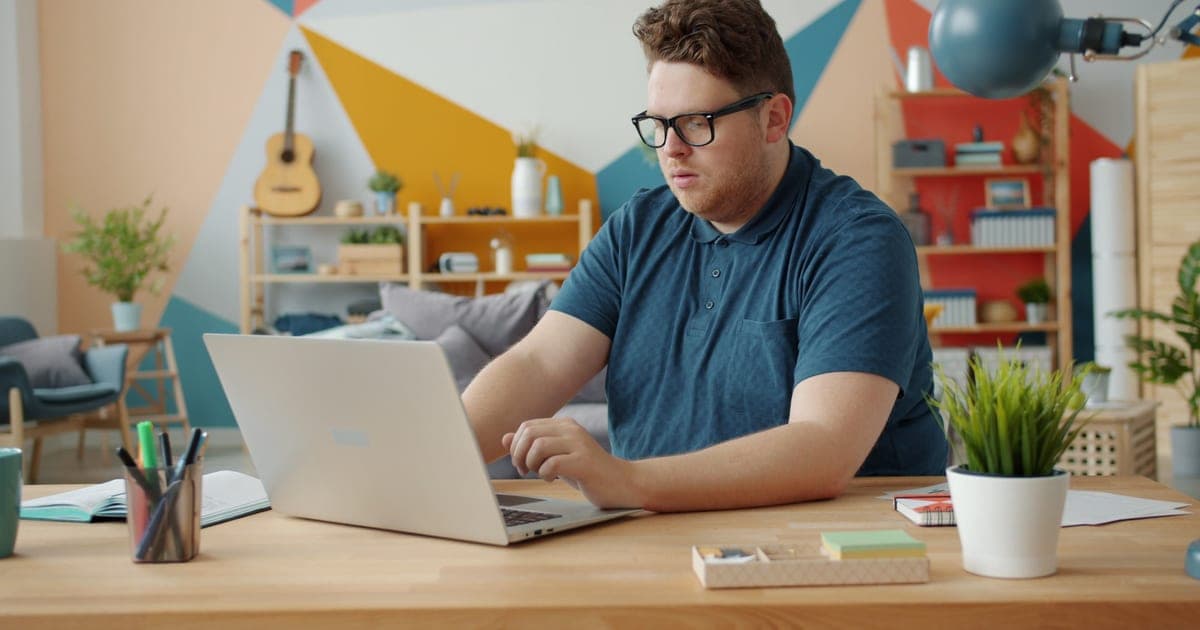
Staying focused working from home comes down to three things: cutting the interruptions you control (phone, notifications, open tabs), putting your hardest work into the hours when your brain and your household are quietest, and taking short breaks before you tire rather than after. Willpower matters far less than how you set up your day.
This page gives you the evidence behind each step, a time-zone table for people working another country's hours, fixes for the most common home distractions, and a sample day for a night-shift worker.
Quick answer
To stay focused working from home, keep your phone in another room, switch off chat and email notifications during set focus blocks of 60 to 90 minutes, schedule demanding work for your sharpest hours in your own time zone, and take 5 to 10 minute breaks each hour (UK HSE guidance, checked November 2026). Tell housemates your focus hours and use one fixed workspace.
Why is it so hard to stay focused when working from home?
Focus at home is hard because interruptions come from two directions at once: the work tools that follow you everywhere, and a household that doesn't know you're working.
The work side is measurable. Microsoft's Work Trend Index special report (June 2025) found that people using Microsoft 365 are interrupted about every two minutes by a meeting, email or chat notification, roughly 275 times a day, and that the average worker receives 117 emails and 153 Teams messages a day (Microsoft press release, June 2025). Those figures come from Microsoft's own telemetry and a survey of 31,000 workers in 31 markets.
The self-made side is just as big. Gloria Mark, professor emerita of informatics at the University of California, Irvine, says attention on a single screen averaged about two and a half minutes in her 2003 study and 47 seconds in studies from 2016 to 2020, and that about half of all interruptions are ones people give themselves (UC Newsroom interview, January 2024). The same interview notes that getting back on track after an interruption can take almost half an hour.
Home adds its own layer: laundry in view, a delivery at the door, children home from school, a partner who assumes "at home" means "free". None of these exist in an office, and none of the office's cues (a commute, colleagues at their desks) exist at home.
Is working from home actually worse for focus?
Working from home is not automatically worse for focus, and for some people it's better. In a nine-month experiment at CTrip's Shanghai call centre, staff working from home were 13% more productive; 9.2% came from working more minutes per shift and 3.3% from handling more calls a minute, which workers put down to a quieter home environment (NBER Digest, September 2013).
The conditions matter. To join, staff needed home broadband and an independent workspace during shifts. The same study found promotion rates for home workers were almost 50% lower, a reminder that focus alone doesn't make you visible. The lesson for you: a quiet, dedicated space is what made home work productive in that study, not the home itself.
How do I stop getting distracted when working from home?
Stop distractions at the source: remove the phone, silence the tools, and close the doors, both literal and digital. Here is the order we'd tackle it in, because each step makes the next one easier.
1. Put your phone in another room
Putting your phone in another room is the single cheapest focus fix. In University of Texas at Austin experiments with nearly 800 smartphone users, people whose phones were in another room did significantly better on concentration tests than those with the phone on the desk, and slightly better than those with it in a pocket or bag (Newswise, UT Austin study, June 2017). Whether the phone was on silent, face down or switched off made no difference.
If your employer or clients reach you by WhatsApp or SMS, check the phone at set times (for example on the hour) rather than keeping it beside the keyboard. If you need two-factor codes, put the authenticator on your laptop or keep the phone just outside the door.
2. Turn off notifications during focus blocks
Notifications are the main channel for those 275 daily interruptions. Turn them off in blocks, not permanently:
- Slack: set "Pause notifications" for the block and add a status such as "Focus until 11:00 UTC, urgent: call me".
- Microsoft Teams: set your status to "Do not disturb" and decide who gets priority access.
- Email: close the tab or app. Outlook and Gmail both let you schedule sending, so you can write replies without starting new threads mid-block.
- Operating system: Focus on macOS and iPhone, or Do Not Disturb on Windows and Android, silences everything else.
Check your team's rules first. Support, dispatch and on-call roles often need you reachable within minutes, and a silenced Slack can cost you a job. In those roles, protect focus with shorter blocks between queue checks, and agree the response time with your lead in writing.
3. Close the tabs you'll drift to
Gloria Mark calls social media and games "attention traps" and suggests putting time limits on them. Browser extensions such as LeechBlock (Firefox) or the built-in Screen Time and Digital Wellbeing settings can block named sites during your work hours. The point isn't discipline; it's removing the two-second gap between thinking about a site and being on it.
4. Work on one thing at a time
Monotasking means working on one task until a natural stopping point before you switch. Mark recommends it in the same interview. Practically, that means one window full screen, the task's documents open and nothing else. Keep a notepad beside you: when an unrelated thought arrives ("reply to the invoice email"), write it down and return to the task.
How do I set up my day so I stay focused?
Set up your day by putting demanding work in your best hours, grouping shallow work together, and protecting both with a visible plan.
Find your peak hours
Your peak hours are the times your concentration is naturally strongest. Mark suggests keeping a diary for a few days, noting when you feel sharp and when you flag, and scheduling your most important work for the sharp periods. Microsoft's telemetry puts typical peak productivity at 9am to 11am and 1pm to 3pm local time, and notes that half of all meetings land in those same windows (Microsoft, June 2025).
That clash is your opportunity. Block your best two hours in the shared calendar as "focus time" before anyone else fills them.
Use time blocks, not just a to-do list
A to-do list tells you what; a time block tells you when. A simple pattern that works for most desk roles:
- First 15 minutes: check messages, then write down the one task that would make the day a success.
- Focus block 1 (60 to 90 minutes): that task, notifications off.
- Shallow block (30 to 60 minutes): email, chat, admin, short calls.
- Focus block 2 (60 to 90 minutes): the next most demanding task.
- Afternoon: meetings, reviews, routine work.
- Last 15 minutes: write tomorrow's first task and close everything.
The Pomodoro Technique, created by Francesco Cirillo, is a well-known version of this, usually taught as 25 minutes of work and a short break. It suits people who struggle to start. Mark's view is that breaks should come when you notice you're tiring, not on a fixed timer, so treat 25 minutes as a starting point.
Keep a start and finish ritual
The commute used to tell your brain that work had started. Replace it with something short and repeatable: get dressed for the day, make coffee, open the same three tools in the same order. At the end, close the laptop and leave the workspace. In the CTrip study, staff avoided an 80-minute average daily commute; spending ten of those saved minutes on a walk before work is a fair trade.
How long should breaks be when working from home?
Breaks should be short and frequent: 5 to 10 minutes every hour is better than 20 minutes every two hours, according to the UK Health and Safety Executive's guidance on screen work (HSE, work routine and breaks, checked November 2026). The HSE also says breaks should let you stand up and move, or at least stretch and change posture. UK law requires employers to plan breaks or changes of activity for screen users but doesn't set exact times.
Breaks between meetings matter too. In a 2021 Microsoft Human Factors Lab study, 14 remote workers wore EEG caps during four back-to-back half-hour video meetings on one day and the same meetings with 10-minute breaks on another. Brain activity linked to stress built up across back-to-back meetings and spiked at each transition; with breaks it stayed level (Microsoft WorkLab, April 2021). The sample was small and the breaks included guided meditation, so read it as supporting evidence rather than proof.
What counts as a break: standing up, a short walk, looking out of a window, making tea. What doesn't: scrolling your phone at your desk, which keeps the same screen-and-switch pattern running.
How do I stay focused working another country's hours?
If you work a foreign employer's hours, plan your focus around your own body clock and household, then line it up with the overlap your team needs. Many remote jobs open to applicants abroad are tied to a time zone, and that changes when your quiet hours fall.
The table below shows where a 9am to 5pm New York shift lands in different cities this winter. US daylight saving ended on 1 November 2026, so New York is on UTC-5 until 14 March 2027.
| Your city (UTC offset, Nov 2026) | 9am to 5pm New York is | Likely quiet hours at home | Where to put focus blocks |
|---|---|---|---|
| London (UTC+0) | 2pm to 10pm | Evening, after household dinner | First 2 hours of shift, before US meetings start |
| Lagos (UTC+1) | 3pm to 11pm | Late evening | Late shift, once household settles |
| Nairobi (UTC+3) | 5pm to 1am | After 9pm | Second half of shift |
| Mumbai (UTC+5:30) | 7:30pm to 3:30am | Night | After midnight, when US colleagues are in meetings |
| Manila (UTC+8) | 10pm to 6am | Whole shift | First 3 hours, before fatigue builds |
| São Paulo (UTC-3) | 11am to 7pm | Depends on household | Late morning, before afternoon meetings |
| Mexico City (UTC-6) | 8am to 4pm | Early morning | First 2 hours |
Two patterns follow from this. If you're in Asia or Africa on US hours, your household is usually asleep for part of the shift, so the problem isn't noise but fatigue; put demanding work early in the shift. If you're in Europe or Latin America with a large overlap, your problem is meetings; protect your local morning or the hours before US colleagues come online.
Use async to protect overlap hours
Async (asynchronous) work means communicating in writing or recordings that people answer in their own time rather than live. If your team works asynchronously, you can batch replies into two or three windows a day instead of answering live. Read what async means in a job description before assuming you're allowed to; some "remote" roles expect instant replies during set hours.
For the longer-term strain of working across zones, see working across time zones without burning out.
How do I stay focused on a night shift from home?
On a night shift from home, focus depends on how well you slept before it, so treat sleep as part of your focus plan. The US National Institute for Occupational Safety and Health (NIOSH) says naps of 15 to 30 minutes and longer naps can both increase alertness, and advises waking near the 20-minute or roughly 90-minute mark to avoid grogginess, since waking after about an hour, in deep sleep, can leave you groggy (NIOSH training for nurses, nap duration, checked November 2026). The course is written for nurses but the sleep science applies to any night worker.
Example: a focus plan for a night shift in Manila
This is an example, not a prescription. Assumptions: a customer support agent in Manila (UTC+8) on a US Eastern shift of 10pm to 6am Manila time, with a 1-hour unpaid break, living with family.
| Manila time | What happens | Focus purpose |
|---|---|---|
| 8:00pm to 8:20pm | Short nap, alarm set | Alertness at shift start |
| 9:30pm | Same start ritual each night, phone in another room | Signals work has begun |
| 10:00pm to 1:00am | Hardest work: complex tickets, escalations | Sharpest hours of the shift |
| 1:00am to 1:10am | Stand, stretch, water | HSE-style short break |
| 1:10am to 2:00am | Routine queue work | Lower demand as energy dips |
| 2:00am to 3:00am | Meal break away from desk | Proper break, not desk scrolling |
| 3:00am to 6:00am | Routine work, 5-minute break each hour | Steady pace through low point |
| 6:00am | Close laptop, write tomorrow's first task | Clean finish |
Bright light in the workspace during the shift and darkness when you sleep help both sides. For sleep problems after the shift, see broken sleep on a remote night shift.
What should I do about family, children and housemates?
Tell the people you live with exactly when you're in a focus block and how to reach you if it's urgent, then make the signal visible. A closed door, headphones on or a card on the desk works better than a general "I'm working".
Practical setups that help:
- Shared calendar or note on the fridge with your focus hours and meeting times, especially if you work nights and sleep days.
- A defined "interrupt for" list: a crying child, a delivery that needs a signature, a power cut. Everything else waits for your next break.
- Noise-cancelling headphones if you can't close a door. Many support roles already require a headset; check whether yours has noise cancelling.
- Swap focus blocks with a partner if you both work from home: one takes the children for two hours while the other works heads down, then switch.
With very young children at home, uninterrupted 90-minute blocks may simply not exist. Shorter 25 to 45-minute blocks during naps or school hours are more realistic; our guides on working from home with a toddler and working from home with a baby go further.
What breaks your focus, and what fixes it?
Most loss of focus comes from a handful of repeat causes. Match yours to the fix.
| What breaks your focus | Likely cause | Fix to try first |
|---|---|---|
| Checking the phone without meaning to | Phone within reach | Phone in another room, check on the hour |
| Constant Slack or Teams pings | Notifications always on | Do Not Disturb in focus blocks, status with return time |
| Back-to-back calls leave you drained | No transition time | 5 to 10 minute gaps; shorten meetings in calendar settings |
| Housework pulls you away | Work and home space overlap | One fixed workspace, chores only in breaks |
| Family interrupts | No visible signal | Shared schedule, door or headphones rule |
| Afternoon slump | Demanding work at a low point | Move hard tasks to your peak hours |
| Fading by mid-shift on nights | Sleep debt | Pre-shift nap, hardest work early |
| Can't start the big task | Task too vague | Write the first 15-minute step, run one timed block |
| Wi-Fi drops break your flow | Unreliable connection | Mobile hotspot from a different network as backup |
A dedicated workspace doesn't need a spare room. A corner, a fold-away desk or a shelf that becomes a desk is enough if it's used only for work; see a home office setup for a small space.
Do focus apps and trackers help?
Focus apps help if they remove a decision for you, and hurt if they become another thing to manage. A site blocker, a timer and your calendar's focus-time feature cover most needs, and all have free versions.
Be careful with productivity trackers your employer installs. Some remote roles, especially in BPO and staffing firms, require time-tracking software that records activity or takes screenshots. These tools measure activity, not focus, and constant awareness of being watched can itself be a distraction. If your role uses one, learn what it records so you aren't second-guessing it all day; our guide on how mouse activity tracking works explains the common ones.
When is lack of focus a sign of something else?
If none of the practical fixes helps after a few weeks, the problem may not be your setup. Persistent trouble concentrating can come from poor sleep, stress, isolation or a health condition such as ADHD or depression. A doctor or local health service is the right place to start; we're not able to give medical advice, and you shouldn't treat a productivity checklist as a substitute for one.
Isolation in particular catches people who switch from an office. If your focus dropped after you went remote and you rarely speak to anyone during the day, read struggling with isolation after switching to remote work.
Frequently asked questions
How many hours of focused work can you do in a day from home?
Most people manage two to four hours of genuinely focused work a day, in blocks of 60 to 90 minutes, with the rest spent on lighter tasks. There is no official limit; the figure is a common planning range rather than a measured average. Plan two protected blocks and treat anything extra as a bonus.
Is it better to work in the same room every day?
Yes, using the same workspace every day helps because the place itself becomes a cue to start work. The CTrip home-working experiment required an independent workspace at home during shifts. If you have no spare room, use the same corner or desk and keep personal tasks out of it.
Does listening to music help you focus when working from home?
Music helps some people and hurts others, depending on the task. Instrumental music or steady background noise can mask household sounds during routine work, while lyrics tend to compete with reading and writing. Try one week with and one without and compare what you finish.
How do I stay focused working from home when I'm on calls all day?
When you're on calls all day, protect focus by leaving 5 to 10 minutes between calls and doing one small follow-up task in each gap. Microsoft's 2021 EEG study found stress built up across back-to-back video meetings and that short breaks kept it level. Ask whether some calls could be a written update instead.
Should I tell my manager I'm blocking time for focus?
Yes, tell your manager and mark focus blocks in the shared calendar so colleagues can see when you're unavailable and how to reach you if it's urgent. Most managers prefer this to slow replies they can't explain. In roles with response-time targets, agree the block length first.
How do I stop working from home from making me lazy?
Working from home feels "lazy" usually because there's no start signal, no visible plan and no end point. Fix all three: a start ritual, a written list of one to three priorities each morning, and a fixed finish time. If motivation stays low for weeks, check your sleep and talk to a doctor.
What is the best time of day to focus when working remotely?
The best time to focus is your own peak period, which a few days of noting your energy will show. Microsoft's June 2025 data puts typical peaks at 9am to 11am and 1pm to 3pm local time, but night-shift and cross-time-zone workers should plan around their own body clock instead.
Key takeaways
- Keeping your phone in another room improved concentration test scores in UT Austin experiments with nearly 800 people, even compared with a silent, face-down phone.
- Microsoft 365 users are interrupted about every two minutes (June 2025), so focus at home depends on switching off notifications in set blocks.
- UK HSE guidance favours 5 to 10 minute breaks each hour over longer, rarer breaks for screen work.
- Remote workers on another country's hours should place focus blocks by their own body clock and household, not the employer's office day.
- A quiet, dedicated workspace is what made home working more productive in the CTrip experiment, not home itself.
Next steps
Pick two changes from this page for the next five working days: phone in another room, and one protected 90-minute focus block at your sharpest hour. If your current hours make focus impossible, look for roles whose location and time-zone rules fit your life: the RemoteApply jobs board shows where applicants may live on every listing, and you can save a search as an email job alert.
The research figures on this page were checked against Microsoft, UC Irvine, NBER, UK HSE, NIOSH and University of Texas sources in November 2026.
Sources
- New Microsoft study reveals the rise of the infinite workday, Microsoft News Centre Switzerland
- How to sharpen your attention and meet your goals in 2024, UC Newsroom
- Evidence from a Chinese Experiment on Working from Home, NBER Digest
- The Mere Presence of Your Smartphone Reduces Brain Power, Study Shows, Newswise
- Work routine and breaks, UK Health and Safety Executive
- Research proves your brain needs breaks, Microsoft WorkLab
- Nap Duration, NIOSH Work Schedules training for nurses, CDC
- 7 Ways To Maintain Focus When Working From Home, Indeed
- How to work from home: 30 tips, Asana