Falsely Flagged for Cheating in an Online Interview: What to Do
A cheating flag is a prompt for human review, not a verdict. Email the recruiter within 24 hours with facts, evidence and an offer to re-test live.

By Elena Marsh, Job search and applications writer
Updated 17 min read
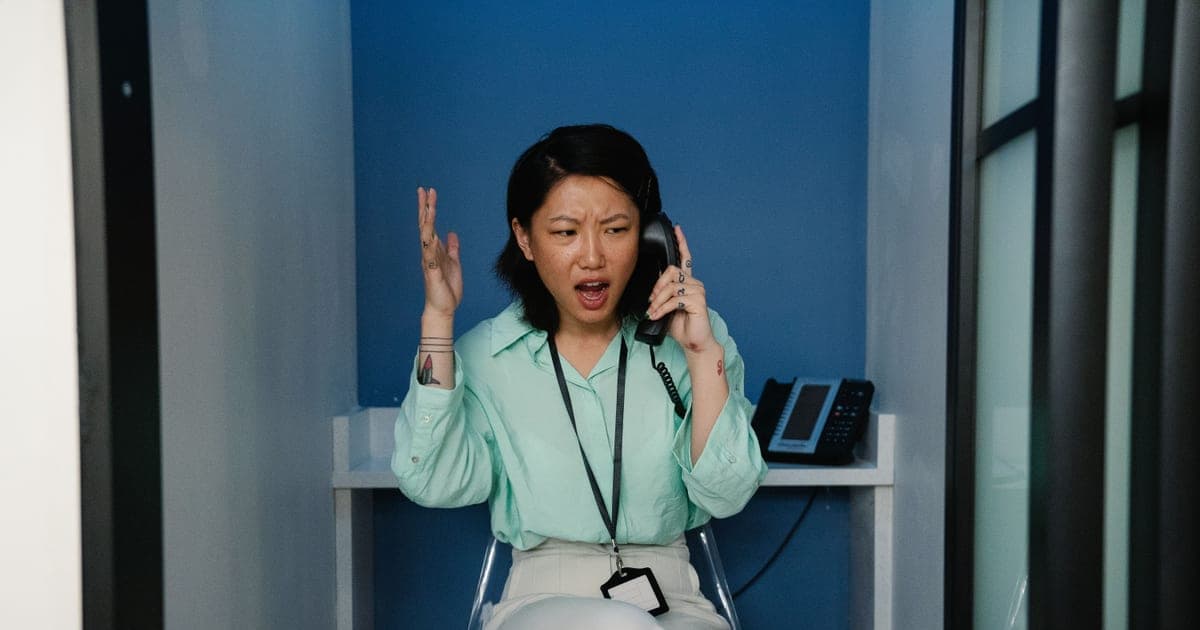
If you were falsely flagged for cheating in an online interview or hiring test, write to the recruiter within a day. Ask what was flagged, give a short factual explanation and offer to prove your skills live. A flag from proctoring or plagiarism software is a signal for a person to review. It is not a verdict, and the major vendors say so themselves.
This page covers who actually decides, what each type of flag usually means, the evidence that helps, a sample message, your data rights in the EU, UK and New York City, and how to avoid the same flag next time.
Quick answer
When a hiring test is falsely flagged, the employer decides what happens, not the test vendor. Email the recruiter within 24 hours. Ask which part of the session was flagged, explain any innocent cause in two or three sentences and offer a live re-test or screen-share. In the EU or UK you may also be able to ask for human review and a copy of your data (as of November 2026).
Does a cheating flag mean you are rejected?
No. A cheating flag means software marked part of your session as unusual, and a person is expected to look at it. HackerRank's own advice to employers is to manually review flagged code "to ensure a false positive doesn't disqualify an honest candidate". It also recommends that hiring teams do not auto-reject anyone on the plagiarism flag alone (HackerRank, How plagiarism detection works, opened November 2026).
CodeSignal describes a similar process. Its proctored assessments record video, audio and screen, get several AI reviews plus human oversight, and then the hiring company is told the decision and given an explanation for any rejected submission (CodeSignal, Prevent and detect cheating in recruiting, opened November 2026).
Two practical consequences follow:
- The employer owns the decision. The vendor supplies the flag and the evidence. The recruiter or hiring manager decides whether to reject you, re-test you or ignore the flag.
- The employer has more information than you. CodeSignal sends the employer a reason for the rejection. Talview tells candidates plainly that they cannot view their own session flags or event log (Talview candidate docs, opened November 2026). So your first job is to find out what they saw.
Some employers never tell you a flag existed. You get a standard rejection and silence. If a rejection arrives unusually fast after a test you know went well, it's reasonable to ask whether the assessment result played a part.
What gets flagged in online interviews and hiring tests
Hiring flags fall into a handful of types, and each has its own common innocent causes. Knowing which type you hit tells you what evidence to offer.
Proctoring behaviour flags
Proctoring flags come from the webcam, microphone and browser. Mercer Mettl's documentation lists seven AI flags: face not visible, another person, away from window, participant looking away, face partially visible, participant not present, and mobile phone detected (Mercer Mettl support, Proctoring basics, opened November 2026). Talview's list for candidates adds tab switching, audio anomalies, a blocked webcam, prohibited objects such as notes or extra monitors, and leaving the frame.
These flags are crude by design. A camera that sees your eyes drop to your keyboard, a family member walking behind you or a neighbour's generator starting up can all trigger one.
Code similarity and plagiarism flags
Code plagiarism flags compare your code with other submissions and known sources. HackerRank's default setting flags a candidate when the match score is above 75% and the candidate wrote at least 10 lines of code. For shorter answers the threshold rises to 90% (HackerRank Plagiarism Best Practices Guide, opened November 2026). The same guide notes that easy questions may have few possible solutions, which is one reason honest answers can look alike. How the detection works is covered in our article on how HackerRank plagiarism detection works.
AI-assistance and paste flags
Paste events and typing patterns are now tracked by most coding platforms. HackerRank's guide tells reviewers to check code playback, copy-paste indicators, time per question and time outside the test window. CodeSignal says a paste event may be flagged for the hiring team's review because pasting "is not always cheating", for example when a candidate copies from an approved resource.
Identity and location flags
Identity flags happen when the face on camera doesn't match the ID, or the ID check fails. Location mismatches are a separate trigger, usually a VPN or an IP address in a country other than the one on your application. Our guide on applying with a VPN switched on explains how employers read that signal.
Live interviewer suspicion
Some "flags" come from a person, not software. A live interviewer may decide you were reading from a screen, pausing in an unnatural way or listening to someone else. There's no event log here, which makes it the hardest type to answer, and the best response is an offer to repeat the questions in a format they control.
Common innocent causes, and the evidence that helps
The table below matches each flag type to the innocent causes we see most often and the evidence a reviewer can actually check. It was built from the vendor documentation cited above, as of November 2026.
| Flag type | Common innocent cause | Evidence you can offer | What to ask the employer |
|---|---|---|---|
| Looking away | Looking at keyboard, notes allowed by rules, second-language thinking | Description of your desk layout; offer of a live re-test on camera | The timestamps of the flag |
| Another person or voice | Family member, shared room, street noise, call to prayer, generator | Photo of your room layout; explanation of who entered and when | Whether audio or video was reviewed by a person |
| Tab switch or window exit | Pop-up, antivirus alert, browser crash, power cut | Screenshot of the alert; power-cut or ISP outage notice with date | How many exits and for how long |
| Phone detected | Phone on desk for 2FA or as a hotspot | Note that the phone was the backup connection; offer to test with it out of frame | Whether the flag was confirmed by a reviewer |
| Code similarity | Standard algorithm, common textbook solution, your own public repo | Link to your GitHub history; offer to explain the code line by line | The match score and which lines matched |
| Paste or AI pattern | Pasting from your own scratch file or an allowed doc | Your scratch file with its saved time; offer to rewrite live | Whether paste events were the only signal |
| Identity mismatch | Old ID photo, glasses, poor lighting, name order differs by country | Second ID document; offer a video ID check | Which check failed |
| Interviewer suspicion | Long pauses translating, reading the question aloud | Offer a follow-up with unseen questions and screen-share | Specific moments they found unusual |
A power cut deserves its own note. If you live somewhere with scheduled load-shedding or frequent outages, such as parts of South Africa, Nigeria, Pakistan or the Philippines, a window exit followed by a reconnect is a classic false flag. A published outage schedule or a message from your electricity provider dated to that day is strong evidence because the reviewer can check it.
What to do in the first 24 hours
The order of steps matters. These are the actions to take after a suspected or confirmed false flag, starting with the ones that disappear if you wait.
- Write down what happened, now. Note the date, your local time, the test platform, what was on your desk, who was at home, any pop-ups or disconnects and roughly when. Memory fades within days, and reviewers trust specific times.
- Save everything. Keep the invitation email, the test rules, any warning messages, screenshots, your scratch files and any outage notices. Don't delete code or files you used during the test.
- Re-read the rules you agreed to. If the invitation allowed documentation, a calculator or notes, say so in your reply. If it banned something you did without realising, be honest about it.
- Reply once, to the right person. Write to the recruiter or the hiring contact named in the process, not to the vendor's general support. The vendor works for the employer and usually can't reverse the employer's decision.
- Ask for the specifics. Request the flag type, the timestamps and whether a person reviewed it.
- Offer a verifiable alternative. A live coding session with screen-share, a short call where you explain your submitted code, or a re-test in a format they choose.
- Stay off social media about it. Posting the employer's name and the accusation rarely helps and can end the conversation.
If you actually used outside help, even something small, don't deny it. Explain what you used and why you thought it was allowed. Being caught in a false denial ends things far more surely than the original flag. The risks of tools that feed answers during a live call are set out in our piece on AI interview helpers during a live interview.
A sample message to the recruiter
This is an example. Adapt the details and keep it short. A recruiter reads dozens of emails a day, and a calm three-paragraph note gets a reply more often than a long defence.
Subject: Coding assessment for Backend Developer: request for review
Hi [Name],
Thank you for the update on my assessment. I understand the session was flagged, and I'd like to ask for a review. I completed the test on 12 November between 7:10pm and 8:40pm Lagos time (UTC+1). At about 7:52pm my power went out and my laptop switched to battery, which closed the browser for around two minutes. I've attached the outage message from my electricity provider for that evening.
Could you tell me which part of the session was flagged and whether it was reviewed by a person? I'm happy to repeat the exercise live with screen-share, or walk your engineers through my submitted code line by line, at a time that suits your team.
Best regards, [Name]
Notice what the message doesn't do: it doesn't accuse the software, doesn't threaten legal action and doesn't over-explain. It gives one checkable fact, asks two questions and offers a test they control.
Timing the message across time zones
Send the message so it lands at the start of the recruiter's working day. US clocks went back on 1 November 2026, so New York is now UTC-5 and San Francisco is UTC-8 until 14 March 2027. London is on UTC+0 until 28 March 2027.
| Your city (UTC offset, November) | 9am New York is | 9am San Francisco is | 9am London is |
|---|---|---|---|
| Manila (UTC+8) | 10pm | 1am next day | 5pm |
| Lagos (UTC+1) | 3pm | 6pm | 10am |
| Nairobi (UTC+3) | 5pm | 8pm | 12pm |
| Karachi (UTC+5) | 7pm | 10pm | 2pm |
| São Paulo (UTC-3) | 11am | 2pm | 6am |
Most email apps let you schedule a send, so there's no need to stay up until 1am in Manila. If you have heard nothing after three working days in the employer's time zone, one polite follow-up is fine. After that, assume the decision stands and put your energy elsewhere.
Can you appeal a proctoring flag on a hiring test?
Sometimes, but usually only through the employer. Hiring assessments differ from certification exams on this point. Exam bodies such as universities and certification boards normally publish an appeals procedure. Hiring test vendors mostly don't offer candidates a formal appeal, because the employer is their customer.
What vendors do document, as of November 2026:
- HackerRank tells recruiters to confirm or dismiss each plagiarism flag after checking the flagged code, code playback and timeline. That manual step is your opening: you are asking the recruiter to do what the vendor already recommends.
- CodeSignal gives the hiring company the proctoring decision and an explanation for rejected submissions, so the recruiter can tell you the reason if they choose to.
- Talview tells candidates who believe a warning or flag was raised in error to contact the exam administrator after the test to ask for a review, and to tell the proctor in chat during the test.
- Mercer Mettl documents a manual candidate authorisation step and lets proctors view recorded webcam video in the test report, but the page we opened doesn't describe a candidate appeal route. The test format is covered in our article on Mercer Mettl proctored tests.
If the test was run by a third-party agency or a BPO's recruitment team, your contact is the agency recruiter. Ask them to raise it with the client rather than going around them.
Your data rights if you are in the EU, the UK or New York City
Data protection law gives some candidates a formal way to ask for human review and to see what was recorded. Where the law applies, it is often more useful than arguing over the flag itself.
EU: Article 22 of the GDPR
Article 22 of the General Data Protection Regulation (GDPR) gives people the right "not to be subject to a decision based solely on automated processing" where the decision has legal or similarly significant effects (GDPR Article 22, gdpr-info.eu, opened November 2026). Where an employer relies on the contract or consent exceptions, it must provide at least the right to obtain human intervention, to express your point of view and to contest the decision.
The limit is the word "solely". If a recruiter genuinely reviewed the flag, Article 22 may not apply, and that is why the vendors stress human review. Asking "was this decision made by a person?" in your email is therefore a fair question, not an aggressive one.
UK: the same core safeguards, under amended rules
The UK's Information Commissioner's Office (ICO) lists "e-recruiting practices without human intervention" as an example of a decision with similarly significant effects. Its guidance says individuals must be able to obtain human intervention, express their view, get an explanation and challenge the decision (ICO, Rights related to automated decision-making, opened November 2026).
The Data (Use and Access) Act 2025 has since rewritten the UK rules on automated decisions, with changes brought in by commencement regulations in stages. The UK government's summary says organisations must still tell people about significant automated decisions, let them make representations and challenge them, and let them obtain human intervention (GOV.UK, Data (Use and Access) Act 2025: data protection changes, opened November 2026). Check the ICO site for the current wording before you rely on a specific article number.
Asking for your data: subject access requests
A subject access request (SAR) is a request to an organisation for a copy of the personal data it holds about you. In the UK, the ICO says organisations usually have one month to respond. It suggests a subject line reading "subject access request", your name and contact details, and a description of the information you want (ICO, Subject access requests, opened November 2026). For a flagged test, ask for the assessment report, the proctoring flags and timestamps, and any notes on the decision. The EU GDPR has an equivalent right of access.
A SAR can feel heavy-handed for a job you may no longer want. Use it when the flag might follow you, for example when the same staffing firm or platform handles many employers, or when you've been told you are barred from reapplying.
New York City: notice of automated tools
New York City's Local Law 144 bars employers and employment agencies from using an automated employment decision tool unless it has had a bias audit within the past year. They must post a summary of the results and give candidates notice. The city's Department of Consumer and Worker Protection (DCWP) clarified that notice must come 10 business days before the tool is used, and you can complain through DCWP's online form (NYC DCWP, Automated Employment Decision Tools, opened November 2026). This applies to jobs covered by the city's law, not to every US remote role.
Everywhere else
Outside these jurisdictions, protection depends on your national data protection law and on where the employer is based. Many countries in Asia, Africa and Latin America have data protection laws, but we could not confirm in this check whether each gives a right to contest automated hiring decisions. The employer's privacy notice usually names the law it follows and a contact for data requests. Your national data protection authority can tell you what applies. This is general information, not legal advice.
Which situation are you in? A decision checklist
Use this checklist to decide how far to push. Pick the first line that matches.
- You are still in the process and were asked to explain. Reply within 24 hours with facts and evidence, and offer a live re-test. This is the most winnable situation.
- You were rejected and told it was the flag. Send one request for review with your evidence. If the employer says no, ask whether you may reapply later and when.
- You were rejected with no reason, soon after a test. Ask politely whether the assessment result was a factor. If you are covered by EU or UK law and the role matters to you, consider a subject access request.
- You are told you're blocked from the platform or the company. Ask in writing whether the block is company-wide, for how long, and whether a person reviewed it. Keep copies.
- The flag was correct. Accept it, don't argue, and change how you prepare. A second dishonest attempt with the same employer is very likely to be caught.
How to avoid a false flag next time
Most false flags come from the room, the connection or the rules, not from the test itself. Before your next proctored test, run through this setup list:
- Read the invitation's rules twice. Note what's allowed: documentation, scratch paper, a calculator, a second monitor.
- Use one screen. Unplug or switch off a second monitor before you start; several platforms detect extra displays.
- Light your face from the front. A window behind you turns your face into a silhouette and triggers "face not visible".
- Be alone, with the door closed. Tell your household, and put a note on the door if needed.
- Close everything else. Messaging apps, antivirus pop-ups, update prompts and browser extensions.
- Plan for power and internet. Charge the laptop fully and keep a backup connection. If your phone is the hotspot, set it face down and out of the camera's view, and say so in the chat if the platform has one.
- Say what you're doing. If you look down to think or read the question aloud in your own language, mention it in the proctor chat. Talview specifically tells candidates to report a warning they believe is false while the test is running.
- Write your own code, in the editor. Pasting from your own scratch file can look like pasting from elsewhere. Type directly into the test editor where you can.
For broader preparation on the tests themselves, our interview question guides by role show the format and question types employers use.
What employers see when they review a flag
Knowing what a reviewer sees helps you write a better reply. On HackerRank, a recruiter opens the candidate report and checks the flagged code, code playback, copy-paste indicators, time spent per question and how long the candidate was outside the test window. HackerRank's guide gives benchmarks for comparison: plagiarised attempts had a median of 65 seconds outside the window and one exit, and candidates above both figures "could be considered a suspicious attempt".
On CodeSignal, the employer receives a proctoring decision and an explanation, and CodeSignal says results can arrive in as little as one hour. On Mettl, proctors can watch the recorded webcam video.
So a two-minute power cut, a single exit and code typed steadily from scratch tells a reviewer a very different story from repeated exits and large pastes. Point the recruiter to the parts of the record that support you: "the playback should show I typed the solution from line 1 after the reconnect" is the kind of sentence a reviewer can check in seconds.
Frequently asked questions
Can HackerRank flag you for plagiarism if you didn't cheat?
Yes. HackerRank's own material acknowledges false positives and recommends that hiring teams manually review flagged code and not auto-reject on the flag alone (as of November 2026). Common algorithms and short solutions can match other candidates' code closely, which is why the default threshold rises to 90% for answers under 10 lines.
Will a proctoring flag stay on my record with other employers?
Usually not, but it depends on who holds the record. Hiring test results generally belong to the employer that sent the test, not to a shared blacklist. If a staffing firm or platform runs tests for many clients, ask it in writing whether the flag affects other applications.
Can I ask to retake a flagged online assessment?
Yes, you can ask, and some employers agree. Phrase it as an offer to prove your skills in a format they control, such as a live session with screen-share. A vendor's retake rules don't oblige the employer, so the answer is the employer's choice.
Should I contact the test platform or the company?
Contact the company. The employer is the platform's customer and makes the hiring decision. Vendor support can help with technical faults, but it generally won't overturn an employer's rejection.
Is it legal for an employer to reject me based only on AI proctoring?
It depends on where you and the employer are. In the EU and the UK, decisions with significant effects made solely by automated processing come with rights to human intervention and to contest the decision (as of November 2026). Many other countries have no equivalent rule specific to hiring.
Does looking away from the screen count as cheating?
No, looking away is not cheating in itself. Mercer Mettl and Talview both treat looking away as a flag for review, not a finding. Repeated or long glances in the same direction are what reviewers question, so keep notes and screens out of your eyeline.
What if the interviewer accused me of using AI during a live interview?
Respond calmly and offer to continue with unseen questions while sharing your screen. There's no software log for a human judgement, so the most persuasive evidence is a live demonstration of the skill in a format the interviewer controls.
Key takeaways
- A cheating flag from proctoring or plagiarism software is a prompt for human review, and the employer, not the vendor, decides the outcome.
- HackerRank recommends that employers manually review plagiarism flags and do not auto-reject on the flag alone (as of November 2026).
- The strongest response is fast, short and checkable: timestamps, one piece of evidence and an offer of a live re-test.
- In the EU and UK, candidates facing solely automated decisions with significant effects can ask for human intervention, and a subject access request can show what was recorded.
- Most false flags come from the setup: second screens, back-lighting, other people in the room, pop-ups and power cuts.
Next steps
Send your review request today, then keep applying. One flagged test shouldn't stall your whole search. Set up an email alert on the RemoteApply jobs board for roles that state where applicants may live, so the next application goes to an employer that can actually hire you. If you want help preparing for the next assessment or interview, RemoteApply ($29 a month, cancel any time) includes interview preparation sessions with the team; details are on the membership page.
Vendor processes and data-protection guidance were checked on the HackerRank, CodeSignal, Mercer Mettl, Talview, ICO, GOV.UK and NYC DCWP sites in November 2026.
Sources
- How plagiarism detection works at HackerRank, HackerRank
- Plagiarism Best Practices Guide, HackerRank Knowledge Base
- Prevent and detect cheating in recruiting, CodeSignal
- Proctoring basics: Anti-cheating measures, Mercer Mettl support
- What to do if I receive a warning during a proctored test, Talview
- Article 22 GDPR, gdpr-info.eu
- Rights related to automated decision-making including profiling, ICO
- Data (Use and Access) Act 2025: data protection and privacy changes, GOV.UK
- Getting copies of your information (subject access request), ICO
- Automated Employment Decision Tools, NYC DCWP