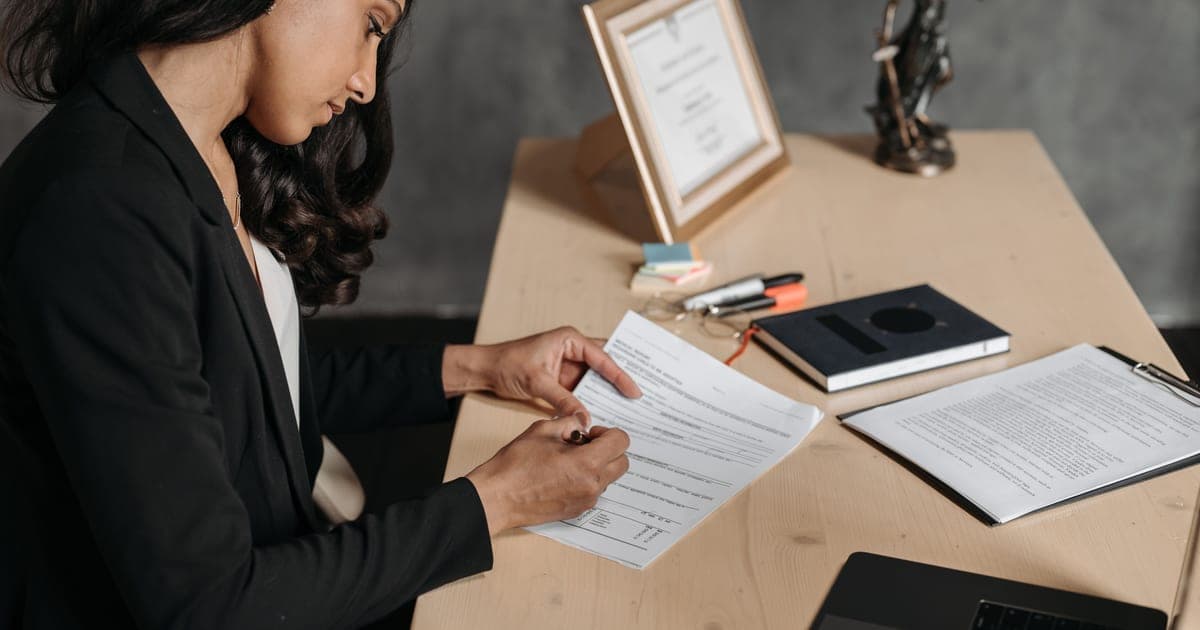
Describe Your Home Office: Sample Answers for Remote Job Applications
Describe your home office by stating your space, noise control, computer, wired internet speed, headset and backup. Six sample answers and real requirements.

By Elena Marsh, Job search and applications writer
Updated 16 min read

When an employer asks you to describe your home office, the strongest answer covers four things in under a minute: where you work, how you keep it quiet and private, what equipment you use, and what happens if your power or internet fails. Name real specifics (a wired connection at a measured speed, a USB headset, a door you can close) instead of saying "I have a comfortable setup."
Below you'll find what employers are actually checking, real requirements from companies that hire home-based agents, six sample answers for different situations, and how to adapt your answer if you live in a shared home, work nights or deal with power cuts.
Quick answer
To describe your home office, state where you work (a separate room or a dedicated corner), how you control noise and privacy, your computer and operating system, your internet type and measured speed, your headset, and your backup for power or internet outages. Keep it to 60 to 120 words, use real numbers, and check the job's own equipment requirements first, because they differ by employer (as of November 2026).
Why employers ask you to describe your home office
Employers ask "describe your home office" because a remote hire who keeps dropping calls, has a barking dog in every meeting, or can't run the company's software costs them money from day one. The question is a quick screen for reliability before they spend time on interviews and training.
Behind the one question sit four separate checks:
- Technical compatibility. Some platforms run only on certain systems. TTEC's at-home platform, for example, supports Windows PCs only, and Macs, Chromebooks and tablets are not supported (TTEC FAQ, as of November 2026).
- Connection quality. Voice and video work need a stable line, not just a fast one. TTEC's requirements page asks for 99.99% stable service, a maximum latency of 120ms and 0% packet loss (TTEC at-home requirements, as of November 2026).
- Noise. Customers hear everything behind you. TTEC tells home agents to work in a secluded, quiet space and lists TVs, radios, pets, household members, doorbells and lawn mowers as common distractions (TTEC FAQ).
- Privacy and data security. If you handle customer names, card numbers or health information, nobody else in your home should be able to see your screen or hear your calls.
You'll meet the question in several forms: a text box on an application ("Describe your work-from-home setup"), a one-way video interview prompt, a recruiter screening call, or a request to upload photos of your desk. The content of a good answer is the same in each; only the length changes.
What a good answer to "describe your home office" includes
A good answer to "describe your home office" covers the eight points below, in roughly this order. You won't need all eight for every role: a writer doesn't need a noise-cancelling headset, while a call centre agent can't do without one.
- The space. A separate room with a door, a dedicated corner of a bedroom, or a desk in a shared room. Be specific and honest.
- Noise control. A closing door, a quiet time of day, soundproofing, or simply nobody else at home during your shift.
- Privacy. Your screen faces a wall, nobody walks behind you, smart speakers are off, papers are kept away or shredded.
- Computer. Desktop or laptop, operating system, RAM, and a second monitor if you have one.
- Internet. Fibre, cable, DSL or mobile; wired (Ethernet) or Wi-Fi; your measured download and upload speeds.
- Headset and camera. Wired USB headset with a noise-cancelling microphone, plus a webcam if the role includes video calls.
- Backup. A second internet connection (a mobile hotspot on a different network), and a UPS (uninterruptible power supply), power station, inverter or generator.
- Routine. How you start the day, keep the space for work only, and stay reachable.
The last point matters more than people expect. A recruiter hears "I have a desk in my bedroom" very differently from "I have a desk in my bedroom; my shift starts at 10pm when the house is quiet and my family knows not to come in."
What real employers require from a home office
Home office requirements vary a lot between employers, so the best answer echoes the requirements in the job ad you're applying to. The table below shows what five organisations publish on their own pages. Use it to see which details recruiters care about, not as a universal standard.
| Source (checked November 2026) | Internet | Wi-Fi allowed? | Headset | Computer | Workspace |
|---|---|---|---|---|---|
| TTEC | 30 Mbps down / 3 Mbps up for all projects; 15 to 29 / 1.5 to 2.9 for most; below 15 / 1.5 fails | Only on specific client assignments, WPA2 encryption minimum | USB wired recommended; Bluetooth not supported | Windows 10 (20H2+) or 11, 8 GB RAM minimum, 16 GB recommended | Secluded, quiet, noise-free (FAQ) |
| Liveops | 50 Mbps down / 20 Mbps up minimum | No: Ethernet cable required, no Wi-Fi or satellite | Corded, noise-cancelling USB | Windows 11, 6 cores, 16 GB RAM, dual monitors required | Quiet, distraction-free |
| Working Solutions | Not stated on the page opened | Not stated on the page opened | Wired USB only; gaming headsets discouraged | Not stated on the page opened | Not stated on the page opened |
| Amazon Connect (software used by many contact centres) | 54 Kbps each way per audio call, more for video | Not specified | USB headset recommended | 2 GB RAM, 2 GHz CPU for the agent panel alone; mobile browsers not supported | Not specified |
| Zoom | 1:1 video at 720p: 1.2 Mbps each way; 1080p: 3.8 up / 3.0 down | Not specified | Not specified | Not specified | Not specified |
Three things stand out. First, wired connections and wired USB headsets come up again and again; Bluetooth headsets are often explicitly refused. If you want the reasoning, our article on why work-from-home jobs require a wired connection covers it. Second, upload speed matters as much as download, and many home plans are weak on upload. Third, these are mostly US-based programmes: Liveops requires agents to be US residents authorised to work there, and Working Solutions accepts applicants only in the United States, Canada or Jamaica (both as of November 2026). Employers in the Philippines, India, Latin America or Africa set their own rules, so always read the specific job ad.
Sample answers to "describe your home office"
The six sample answers below are examples written by the RemoteApply team for different situations. Swap in your real details; never claim equipment you don't have, because many employers run a technical check before you start.
Sample answer 1: short application form answer (call centre or support role)
Use this when the form gives you a single text box.
Example: "I work from a separate room with a door that closes, used only for work. I use a Windows 11 desktop with 16 GB RAM and two monitors, connected by Ethernet cable to a fibre line that tests at 100 Mbps download and 40 Mbps upload. I use a wired USB noise-cancelling headset. For backup, I have a UPS on my router and computer and a mobile hotspot on a different network."
That's about 70 words, every claim is checkable, and it maps directly onto the requirements most contact centres publish.
Sample answer 2: spoken interview answer (customer support, shared flat)
Use this when the interviewer asks out loud and you share your home with others.
Example: "I share a flat with one other person, so I've set up my desk in my bedroom, which has a door I keep closed during shifts. My flatmate works office hours, so the place is empty for most of my schedule. My laptop is connected by cable to the router, and I ran a speed test last week: 60 down and 15 up. I use a wired Jabra headset with a noise-cancelling mic, and my screen faces the wall, so nobody can see customer information. If the internet drops, I switch to my phone's hotspot on a different provider, which I've tested with our video calls."
This works because it addresses the obvious worry (shared home) before the interviewer has to ask.
Sample answer 3: night shift in Asia for a US employer
Many readers in the Philippines, India or Vietnam work US hours. In winter, 9am to 5pm New York time (UTC-5) is 10pm to 6am in Manila (UTC+8) and 7:30pm to 3:30am in Mumbai (UTC+5:30). Use that fact in your answer: night hours are usually quieter at home, but outside noise and power cuts can still happen.
Example: "My home office is a desk in a spare room at the back of the house, away from the street. Because I'll be working US Eastern hours, which is 10pm to 6am here in Manila, the household is asleep during my shift. I'm on a fibre plan connected by Ethernet, around 200 Mbps down and 100 up on my last test, with a prepaid mobile data backup on a different network. I have a UPS that keeps my modem and desktop running for about 30 minutes, which covers most short brownouts, and I've told my family my working hours."
If you mention a battery backup, know how long it lasts. A recruiter may ask, and "I don't know" undermines the rest of the answer.
Sample answer 4: unreliable power (Nigeria, Kenya, South Africa, Pakistan and similar)
Where power cuts are common, recruiters often worry about them before you mention them. Say how you handle outages instead of hoping they don't ask.
Example: "I work from a small study in my house with a door. Power cuts happen here, so I run my laptop, router and a small lamp from an inverter with batteries, which gives me several hours, and we have a generator for longer outages. I have two internet connections from different providers: a fixed wireless line as my main connection and a 4G router as backup. My headset is a wired USB model, and I keep the generator noise out of calls by working in the room furthest from it."
Notice the honest detail about generator noise. It shows you've thought about the customer's experience, not just your own connection.
Sample answer 5: no separate room
Plenty of people work from a bedroom corner or a shared living room, and many are hired anyway. Admit it and explain how you make it work.
Example: "I don't have a separate room, so I've set up a dedicated desk in the corner of my bedroom, used only for work. I use a noise-cancelling USB headset, which blocks most background sound, and I've hung a curtain behind my chair so the background on video is plain. During my working hours the room is mine; my family knows to keep out. My laptop is wired to the router, and I run a speed test at the start of each week."
Don't pretend a corner is an office. If the job ad says a private room with a closing door is required, a corner won't pass, and it's better to apply elsewhere than to fail an on-camera workspace check later.
Sample answer 6: still setting up
If you're moving into remote work and don't have everything yet, describe your plan with dates.
Example: "Right now I work from a desk in my living room on Wi-Fi. If I'm offered the role, I'll run an Ethernet cable to my desk and buy a wired USB headset before training starts, which I've already priced. My laptop runs Windows 11 with 16 GB RAM, which meets the requirements in your job post, and my current speed test shows 45 down and 10 up."
This is honest, specific and shows you've read the requirements. Don't use this approach for a role that starts within days; some employers test your setup during the application itself.
For more interview answers on related questions, our article on describing your experience working remotely uses the same structure.
How to measure and quote your internet speed
Quote your internet speed as download, upload and latency (ping), measured over the connection and at the time of day you'll actually work. A figure from the provider's advert is not the same as a measured figure, and some employers test it.
Follow these steps before you write your answer:
- Connect your computer to the router by Ethernet cable, if you'll work wired.
- Close streaming, downloads and other devices.
- Run a speed test at the hour your shift will start, and repeat it on two or three days.
- Write down the lowest result, not the best.
- Compare it with the job's threshold. Using TTEC's tiers as an example, 30 Mbps down and 3 Mbps up qualifies for all current TTEC projects, while under 15 Mbps down or 1.5 Mbps up fails (TTEC requirements, as of November 2026).
Video calls need less than many people think. Zoom recommends 3.8 Mbps up and 3.0 Mbps down for 1080p video (Zoom bandwidth guide). Contact centres set much higher bars because of their own software and client contracts, so the job ad's number is the one that counts. Our guide to the speed test result you need for video calls covers reading the results in more detail.
How to adapt your answer to where you live
The same question means slightly different things depending on where you are, because recruiters bring assumptions about common problems in your country. Address the obvious one in a sentence.
| Where you live | What recruiters may worry about | What to mention |
|---|---|---|
| Philippines | Brownouts, typhoon season, night-shift schedules | UPS or power station runtime, backup mobile data on a second network, quiet hours at home |
| India, Pakistan, Bangladesh | Power cuts, shared family homes, night shifts for US or UK clients | Inverter backup, a separate or curtained-off space, how family respects working hours |
| Nigeria, Kenya, Ghana, South Africa | Power cuts, internet cost and reliability | Inverter, solar or generator plan, two internet providers, generator noise control |
| Latin America | Shared housing, mobile-only internet in some areas | Fixed-line versus mobile connection, time zone overlap with US clients |
| Europe, UK, North America | Shared flats, home with children, Wi-Fi only | Closing door, childcare during work hours, wired connection |
Time zones affect your answer too. In winter, a 9am to 5pm New York shift is 2pm to 10pm in London (UTC+0), 3pm to 11pm in Lagos (UTC+1) and 5pm to 1am in Nairobi (UTC+3). If your shift overlaps with school runs, cooking or evening noise, say how you handle it. Remember that clocks change on different dates: US daylight saving resumes on 14 March 2027 and the UK and EU move forward on 28 March 2027, so the gap shifts by an hour for about two weeks.
If you live somewhere with frequent outages, say so before the recruiter wonders. "We have power cuts, and here is my backup" sounds organised. Silence followed by a dropped training call sounds unreliable.
When the employer asks for a photo or video tour
Some employers, particularly BPOs and virtual assistant agencies, ask for photos of your workspace or a quick camera pan during the interview. That's a normal request when it's limited to your desk and immediate surroundings.
To prepare:
- Clear the desk of personal papers, bills and anything with your address or ID numbers.
- Show the desk, chair, monitor or monitors, headset and router cable.
- Show the door or the space behind your chair if privacy is the concern.
- Take photos in daylight, from a normal height, without filters.
You can politely limit a request that goes beyond your workspace, for example a tour of your whole home. Something like "I'm happy to show my desk and the room I work in; the rest of the flat is shared with my family" is reasonable. Be aware that a legitimate employer may still decline to proceed if you can't meet its stated workspace rules.
Watch for scams that start here. A real employer may test your setup or set out equipment rules, but it doesn't send you a cheque to buy equipment from a supplier it names, and it doesn't interview you only by chat app. Our article on how the equipment cheque scam works explains the pattern. Never send ID documents, bank details or photos of them as part of a "workspace check".
What not to say when you describe your home office
These answers lose candidates more often than a modest setup does:
- "I can work from anywhere." It sounds flexible to you and unreliable to a contact centre that needs a fixed, tested setup.
- "My Wi-Fi is fast." It says nothing measurable, and Liveops, for one, requires an Ethernet cable with no Wi-Fi or satellite connections (Liveops requirements, as of November 2026).
- Brand-name lists with no purpose. Listing every gadget you own reads as padding. Mention equipment that relates to the job.
- "My kids are usually quiet." If you have children at home, say who looks after them during your hours.
- Equipment you plan to borrow. If your setup depends on a relative's laptop, it can disappear at any time.
- Anything untrue. Many employers run a tech check before training. TTEC says headsets are tested later in the process, and Liveops requires a technical check before agents start. A false claim usually comes out within a week.
If you're unsure whether your setup is good enough, our guide to a cheap home office setup that passes an equipment check lists what to buy first and what can wait.
How long your answer should be
On an application form, aim for 50 to 100 words unless the box asks for more. In a live interview, speak for 45 to 90 seconds. In a one-way video interview, where you often get a fixed time limit, plan for about 60 seconds and practice once with a timer.
A good structure for all three is space, then noise and privacy, then equipment, then backup. If you run out of time, the backup point is the one most applicants skip, so it's worth keeping.
Frequently asked questions
Do I need a separate room for a work-from-home job?
No, not always. Many employers accept a dedicated, quiet corner, but some contact centre and healthcare roles require a private room with a door because of noise and customer data. Check the job ad's workspace section, and if it's unclear, ask the recruiter before you apply.
Is Wi-Fi acceptable for a remote job?
Sometimes. TTEC allows home Wi-Fi only on specific client assignments, while Liveops requires an Ethernet cable and does not accept Wi-Fi or satellite connections (both as of November 2026). For office and developer roles Wi-Fi is usually fine, but saying you're wired, or can be, strengthens any answer.
Can I use a Mac for a work-from-home call centre job?
Often not. TTEC's at-home platform supports Windows PCs only, and Liveops lists Windows 11 as its required operating system (both as of November 2026). Developer, design and writing roles are usually happy with a Mac, so read the specific job's requirements.
What should I say if I live with family in a small home?
Say where exactly you work, how you keep noise down, and how your family knows your working hours. A noise-cancelling USB headset, a closed door or curtain, and working during quiet hours are all credible details. Don't hide it: recruiters hear background noise quickly once you start.
Does the employer provide the equipment for a home office?
It depends on the employer and the contract. Many home-based contact centre programmes expect you to supply your own computer, headset and internet, especially where agents are independent contractors, as at Liveops. Some employers ship a laptop to employees. Our article on what equipment a remote employer should provide covers who pays for what.
Should I describe my backup power and internet even if they don't ask?
Yes, if you have them, and especially if you live somewhere with frequent outages. One sentence is enough: what the backup is, and roughly how long it keeps you working. It answers a question many recruiters have but don't always ask.
How do I describe my workspace for a video interview?
Describe it the same way as on a form, then make sure what the camera shows matches your description. A plain background, light in front of you rather than behind, and a wired headset all support what you've said. If asked to show your desk, keep personal documents out of view.
Key takeaways
- A strong answer to "describe your home office" covers the space, noise and privacy, computer, internet, headset and backup, in 50 to 120 words.
- Home office requirements differ by employer: TTEC accepts Wi-Fi only on some assignments, while Liveops requires an Ethernet connection of at least 50 Mbps down and 20 Mbps up (as of November 2026).
- Quote measured internet speeds (download, upload and latency) taken at your working hours, not your provider's advertised speed.
- A modest setup described honestly beats an impressive one that fails the employer's technical check.
- If you live where power cuts are common, mention your backup before the recruiter asks.
- A legitimate employer may ask to see your desk, but it won't ask you to buy equipment through a supplier it chooses or send ID as part of a workspace check.
Next steps
Check the equipment section of the job you're applying for, run your speed test at your working hours, then write your answer using the sample closest to your situation. You can browse remote customer support jobs, each with where applicants may live, or search the full remote jobs board and save an email alert. For other questions you're likely to face next, see our interview question guides. If you'd like someone to review your application answers and prepare you for interviews, RemoteApply is $29 a month, cancel any time.
Requirements in this article were checked on TTEC, Liveops, Working Solutions, Amazon Web Services and Zoom's own pages in November 2026.
Sources
- Work From Home requirements, TTEC
- FAQs, TTEC Jobs
- Work From Home, Liveops
- Work at Home Headsets, Working Solutions
- Agent headset and workstation requirements for the CCP, Amazon Web Services
- Zoom bandwidth requirements, Zoom Support