How to Become a Remote Proctor
Apply to an online proctoring firm, pass checks for two computers and 100 Mbps, record a video and train 2 to 6 weeks. Requirements, pay, countries.

By Naomi Carter, Remote roles and AI training writer
Updated 16 min read
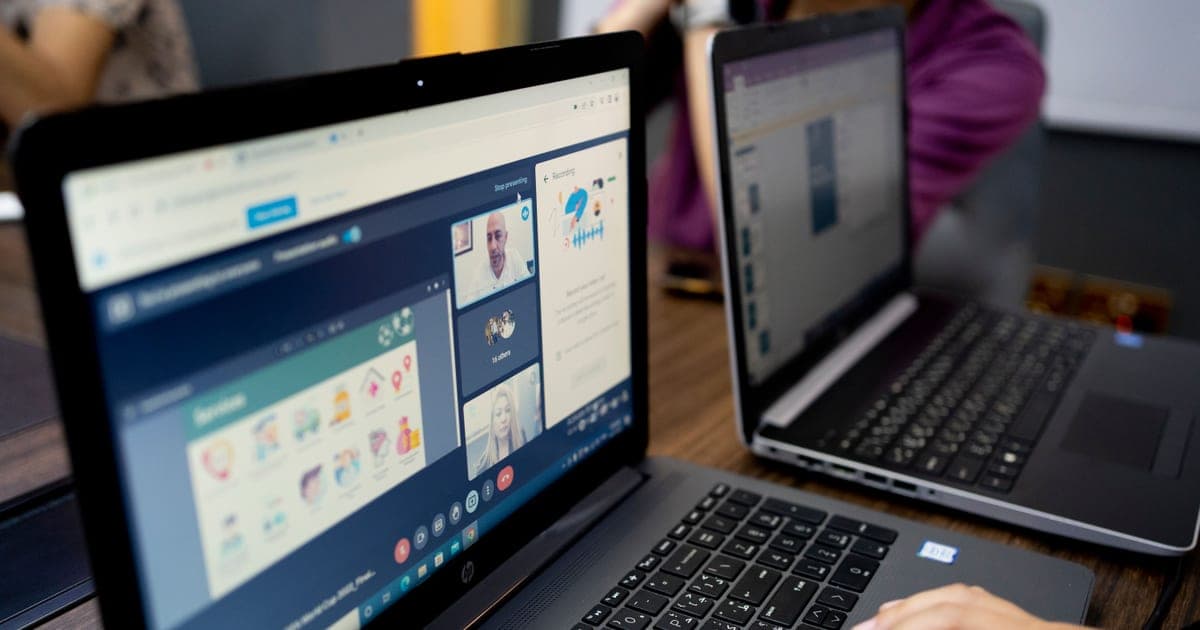
To become a remote proctor, you apply to an online proctoring company or exam provider, pass its equipment and internet checks, record a short screening video, and complete paid or unpaid training before you start watching test-takers on webcam. Most employers don't ask for a degree or a certificate. They do ask for two capable computers, a fast wired connection, fluent English and evening and weekend availability, and many accept applicants from only some countries.
This page covers what the job involves, the real requirements taken from employer pages, where you can apply from, what it pays, the shift times in your local time, and the scams that copy proctoring ads.
Quick answer
Becoming a remote proctor usually takes four steps. First, find a live online proctoring employer that accepts your country. Then meet its hardware and internet specification (one current ad asks for two computers, a 32-inch monitor and 100 Mbps). Next, pass a video screening and commit to weekend shifts. Finally, complete two to six weeks of training. No certificate is usually required (as of November 2026).
What does a remote proctor actually do?
A remote proctor watches people take exams online, through their webcam, microphone and screen share, and makes sure they follow the exam rules. The work is closer to live customer support than to teaching. You greet the candidate, check their ID, look at their room, answer questions and step in when something breaks or looks wrong.
MonitorEDU, a US online proctoring company, lists these duties in its proctor application form (checked November 2026):
- supervising candidates during testing sessions so they follow the testing protocol
- explaining test procedures before the exam starts
- checking the candidate's testing environment and equipment
- watching for rule violations
- helping candidates with questions
- keeping attendance and incident records
- communicating with candidates and staff
There are limits to what a proctor can do. Pearson VUE's OnVUE requirements page tells candidates that proctors "cannot pause/extend your exam or troubleshoot your device/network" (Pearson VUE OnVUE requirements, November 2026). So you follow the script and escalate problems. You don't fix candidates' laptops or bend the rules.
Expect to watch several people at once. One task on MonitorEDU's application form is to open 10 Google Meet sessions at the same time and send a screenshot, which tells you a lot about how many video feeds a proctor handles.
Live proctoring vs record review
Live proctoring means you watch candidates in real time. Record review means you watch recordings afterwards, usually the moments software has flagged. Meazure Learning, which runs the ProctorU service, says on its remote proctoring page that "a professional proctor will review every exam session" and that results arrive within 24 to 72 hours (Meazure Learning, November 2026). The same human review work exists at companies that sell AI-flagged proctoring.
The four jobs people mean by "proctor"
"Proctor" covers four quite different roles, and only two of them are remote jobs you can get from home.
| Type of proctor | Remote? | Who hires | Typical route in |
|---|---|---|---|
| Live online proctor | Yes | Online proctoring companies (MonitorEDU, Meazure Learning, Honorlock and others) | Online application, equipment check, video screening, training |
| Session reviewer | Yes | The same companies, sometimes the same staff | Usually internal, after live proctoring |
| Test centre proctor or administrator | No, on site | Test centres running Pearson VUE, Prometric and similar exams; colleges | Local job ad, background check |
| Approved proctor for one distance student | No, at your workplace | The student's university (for example BYU Independent Study) | The student nominates you; you apply to be approved |
The Indeed career guide that ranks for this query describes the third type: school and test centre proctors, with requirements such as a minimum age and no connection to the test-takers (Indeed Career Guide, updated 16 November 2026). That advice is sound for in-person work, but it skips the equipment and shift rules that decide whether you get a remote role.
The fourth type confuses a lot of people. BYU Independent Study's proctor page says its ideal proctors are "full-time employees of local high schools". They have to proctor at their official place of employment, on computers the organisation owns, and they can't be a relative, friend, employer or tutor of the student (BYU Independent Study, November 2026). That's a duty a teacher or librarian takes on, not a job you apply for from home.
Remote proctor requirements, from real employer pages
Remote proctor requirements are mostly about your equipment, connection, language and schedule, not your qualifications. The table below compares what four organisations say on their own pages. Where a page didn't say something, the table says so.
| Requirement | MonitorEDU (application form) | Meazure Learning (service page) | Honorlock (jobs page) | Pearson VUE OnVUE (candidate page) |
|---|---|---|---|---|
| Where proctors live | Listed US states plus Mexico, Brazil, Dominican Republic, Panama, Colombia, Croatia | Not stated; mentions "global office locations" | Describes its proctors as "US-based" | Not stated on the page opened |
| Computers | Two; main one Apple M3 or newer, Intel 13th-gen, or AMD Ryzen 7000 or newer, 16GB RAM | Not stated | Not stated | Not applicable |
| Monitors | At least two; one 32 inches or larger, 1080p | Not stated | Not stated | Not applicable |
| Internet | 100 Mbps download minimum, wired strongly preferred | Not stated | Not stated | Candidates need 6 Mbps down, 2 Mbps up |
| Language | Fluent English; Spanish, French and Portuguese prioritised | Not stated | Not stated | Not stated |
| Schedule | Weekend blocks required, 24/7 operation | Not stated | Not stated | Not stated |
| Training | About 2 to 3 weeks | "Six-week training process" | Not stated | Not applicable |
| Pay basis | Commission-based, part-time | Not stated | Not stated | Not applicable |
Sources: MonitorEDU proctor application, Meazure Learning, Honorlock jobs, Pearson VUE. All checked 17 November 2026.
Equipment: the barrier most applicants hit
The equipment specification is where most applications fail. MonitorEDU's form says the computers and monitors "must be the equipment you own and will be using for each and every shift". It also asks for photos of your workspace, both computers and both monitors, plus screenshots of each computer's specifications.
Taken from that form, a full proctoring setup looks like this:
- A main computer from 2023 or later (Apple M3, Intel 13th-generation i5 or i9, or AMD Ryzen 7000 series) with a dedicated graphics processor and 16GB of RAM. The form prefers 24GB to 36GB.
- A second computer at least as recent as an Apple M1, Intel 11th-generation i5 or AMD Ryzen 5600X.
- Two monitors, one 32 inches or larger at 1080p.
- A headset with a microphone.
- At least 100 Mbps download, ideally over an ethernet cable.
- A quiet room with no interruptions.
That's a serious outlay before your first paid shift, and it explains why the role suits people who already have a gaming or developer setup. If you're checking whether your current kit is close, our guide to a cheap home office setup that passes an equipment check covers what reviewers look for. We explain the cable rule in why work-from-home jobs require a wired connection.
Do you need a degree or certificate?
Most remote proctoring employers don't ask for a degree or a certificate. None of the employer pages we opened listed either. MonitorEDU's form asks for a CV or cover letter, a speed test, equipment proof and a recorded video. It describes the skills it wants: troubleshooting your own basic computer problems, learning new platforms quickly and staying organised while multitasking.
A recognised proctor certificate does exist. The National College Testing Association (NCTA), a US association of testing centre professionals, offers a Proctor Certification that is "valid for three years from the date it is granted". Renewing it takes 15 continuing education hours in each three-year term (NCTA recertification page, November 2026). The page lists the next exam window as 15 February to 19 March 2027, with registration closing on 14 January 2027. It didn't state the fee, so check with NCTA directly.
The NCTA certificate is aimed at people who work in college testing centres. For a home-based job at a proctoring company, it's a nice extra rather than an entry ticket. Be wary of any website that sells a "proctor certification" and implies you need it to be hired. The employers above train their own proctors.
Can you become a remote proctor outside the US?
Yes, if the employer has a contracting or payroll arrangement for your country. Most remote proctoring jobs are limited to particular places, though. The limit comes from the employer's contracts with exam owners, its time-zone coverage and which countries it can legally pay, not from whether you can do the work.
Here's what the evidence shows, country group by country group, as of November 2026:
- United States. This is the largest pool. Honorlock describes its proctors as US-based. MonitorEDU accepts residents of ten listed states (Alabama, Georgia, Idaho, Texas, North Carolina, Oklahoma, Pennsylvania, South Carolina, Louisiana and Utah), not the whole country. A US-only proctoring job can still exclude your state, which we explain in a remote job lists a state: do you have to live there.
- Latin America. MonitorEDU's current list includes Mexico, Brazil, the Dominican Republic, Panama and Colombia, and it prioritises Spanish and Portuguese speakers. Readers in these countries have the clearest route in today. Our remote jobs open to Latin America page groups roles like this.
- Europe. Croatia is the only European country on MonitorEDU's list. Some exam boards based in Europe hire invigilators for particular languages, often tied to an office city, so read the location line carefully.
- Asia, including the Philippines and India. We found no current employer page we could open that named an Asian country as eligible. A January 2023 MonitorEDU ad on a job board sought English and Japanese speakers for Asian clients (JETWIT listing, posted January 2023). Language-specific roles do appear, but treat any Asian proctoring ad as something to verify on the company's own site.
- Africa and the Middle East. None of the pages we opened named a country in these regions as eligible as of November 2026. That doesn't mean no employer hires there. It means you should filter for ads that name your country or say "worldwide", and expect fewer of them.
Location lists change, and MonitorEDU's form says "at this time", which is a sign the list moves with demand. Always apply from your real location. Proctoring companies check identity and equipment closely, and a mismatch is an easy reason to end a contract.
What does a remote proctor earn?
Pay for remote proctors usually sits in the low-to-mid teens to around $20 an hour in US dollars, and many roles are part-time and paid per session or by commission rather than a fixed salary. Few employers publish rates, so treat every figure below as a benchmark.
| Figure | What it covers | Source and date |
|---|---|---|
| $18.42 an hour average (range shown $7.25 to $38.35) | All proctor jobs on Indeed in the US, in person and online | Indeed Career Guide hiring insights widget, viewed November 2026 |
| $31,244 a year average | All US proctor salaries reported to Indeed | Indeed Career Guide, updated 16 November 2026 |
| Commission-based, part-time, overtime and weekly bonuses | MonitorEDU proctors | MonitorEDU application form, November 2026 |
| About $12 to $18 an hour on average, some $20 to $25, commission-based | MonitorEDU proctors (company's own claim in a job ad) | JETWIT listing, January 2023 |
Two points about these numbers. First, the Indeed figures are US benchmarks that mix school, test centre and online work. A proctor paid as a contractor in Colombia or Croatia shouldn't assume the same rate, and we couldn't find a published rate for non-US proctors. Second, "commission-based" here means your pay is tied to sessions you proctor or shifts you cover. If test volume drops, your earnings drop with it. Ask the recruiter how many hours a typical new proctor actually gets each week before you buy any equipment.
Employee or contractor, and how money arrives
Most remote proctoring roles we saw are part-time. Outside the employer's home country, they are usually contractor roles. As a contractor you invoice or get paid through a platform, and you handle your own tax in your country of residence.
None of the pages we opened said how MonitorEDU or the others pay non-US proctors (bank transfer, Wise, Payoneer or a platform such as Deel). Ask before you accept, and check the fees on your side. Our guide on getting paid as an independent contractor for a foreign company walks through the options and what each one costs.
What the shifts look like in your time zone
Remote proctoring runs around the clock, and new proctors usually get the evening and weekend shifts. MonitorEDU's form says it operates 24/7. It requires availability on both Saturday and Sunday and states its shift blocks in US Central Time.
US Central Time is UTC-6 from 1 November 2026 to 14 March 2027, and UTC-5 in summer. Here are MonitorEDU's three weekday blocks converted for winter 2026-27:
| City (UTC offset in winter) | Morning block (6am to 4pm CT) | Mid block (10am to 8pm CT) | Evening block (4pm to 2am CT) |
|---|---|---|---|
| Mexico City (UTC-6) | 6am to 4pm | 10am to 8pm | 4pm to 2am |
| Bogotá, Panama City (UTC-5) | 7am to 5pm | 11am to 9pm | 5pm to 3am |
| Santo Domingo (UTC-4) | 8am to 6pm | 12pm to 10pm | 6pm to 4am |
| São Paulo (UTC-3) | 9am to 7pm | 1pm to 11pm | 7pm to 5am |
| London (UTC+0) | 12pm to 10pm | 4pm to 2am | 10pm to 8am |
| Zagreb, Lagos (UTC+1) | 1pm to 11pm | 5pm to 3am | 11pm to 9am |
| Nairobi (UTC+3) | 3pm to 1am | 7pm to 5am | 1am to 11am |
| Manila (UTC+8) | 8pm to 6am | 12am to 10am | 6am to 4pm |
These blocks are availability windows, not single shifts. You choose the blocks you can cover and the scheduler assigns shifts inside them. The form warns that preferences "are not guaranteed". It also warns that unapproved changes to your availability after hiring may affect your "scheduling priority and continued eligibility".
The local times shift by an hour when the US moves to daylight saving on 14 March 2027 and when the UK and EU follow on 28 March 2027. Mexico, Colombia, Brazil, Kenya and the Philippines don't change their clocks. If an application form asks you directly, our guide to answering "are you willing to work weekends?" covers how to say yes honestly with limits.
How to apply: step by step
The application process for online proctoring is mostly technical proof plus a short video. These steps follow the MonitorEDU application form as it stood in November 2026. Other companies use similar stages.
- Check the location line first. Make sure the ad names your country or state, or says worldwide. If it doesn't, move on.
- Run a speed test on the computer you'll actually use. Save a screenshot named the way the form asks (MonitorEDU wants FirstName_LastName_SpeedTest). Run it over a cable at the time of day you plan to work, because evening speeds are often lower. Our guide to internet speed test results for video calls explains what the numbers mean.
- Screenshot the specifications of both computers. On Windows that's Settings, System, About. On a Mac it's the Apple menu, About This Mac. Then photograph your whole workspace, both computers and both monitors.
- Do the multi-meeting test. Open 10 Google Meet sessions at once and screenshot the result. If your computer slows to a crawl, it won't cope with live proctoring either.
- Mark your availability honestly. Convert the Central Time blocks to your own time using the table above and choose only blocks you can keep for months.
- List your languages with honest levels. MonitorEDU's levels are Basic, Conversational, Fluent and Native. Spanish, French or Portuguese gets priority at the moment.
- Record the English video. MonitorEDU's prompts begin with "Tell us about yourself and why you want to proctor". The rest cover frustrated test-takers, calming an upset customer, multitasking and recovering from a mistake. Answer each one with a short, specific example from support, teaching or retail work.
- Finish onboarding fast if you get an offer. MonitorEDU asks for onboarding documents within one week of accepting and training to begin within two weeks. Training lasts about two to three weeks.
Here's an example of a strong 30-second answer to the frustrated test-taker prompt, written for a support agent:
Example: "In my current support job, a customer's payment failed three times before an important deadline and he was shouting. I let him finish, repeated the problem back so he knew I'd heard it, told him exactly what I could and couldn't do, and stayed on the line until it worked. With a stressed candidate I'd do the same: stay calm, follow the exam rules, and be clear about the next step."
If you've done chat or phone support, you already have most of the stories you need. Our customer support specialist role guide covers the overlapping skills.
Proctoring job scams to watch for
Fake proctoring offers copy real ones, so check every ad against a few simple rules. No legitimate proctoring employer charges you to apply, sells you the required software, or sends you a cheque to buy equipment and asks for part of it back.
Warning signs specific to proctoring ads:
- A required paid "proctor certificate" from a site you've never heard of. The employers we checked train their own proctors, and the one recognised certificate (NCTA) is optional for these jobs.
- Interviews held only by Telegram or WhatsApp chat. Real proctoring companies screen you on video, since watching people on camera is the job.
- An offer that comes before any equipment or speed check. Every real process we saw checks your setup first.
- Requests for your bank login or for "test payments" through your account. That's money laundering, not proctoring.
- Ads that use a known company's name but send you to an email address or domain that isn't the company's. Look up the careers page yourself and apply there.
Our article on remote job scam red flags covers the wider patterns and what to do if you've already shared documents.
Is remote proctoring a good job for you?
Remote proctoring suits people who are calm under pressure, comfortable on camera, happy with routine, and able to cover nights and weekends. It's a reasonable first remote job for someone with support or classroom experience who already owns strong equipment.
It's a poor fit if you need guaranteed full-time hours or a fixed salary, if your power or internet is unreliable, or if you'd have to buy two new computers and a 32-inch monitor before earning anything. Weigh the setup cost against the commission pay, and ask about typical weekly hours before you spend money.
Frequently asked questions
Do you need a degree to be a remote proctor?
No, the online proctoring employers we checked in November 2026 didn't ask for a degree. They asked for a CV, fluent English, equipment and internet proof, a recorded video interview and weekend availability. Some in-person school proctor jobs ask for a high school diploma or more, according to Indeed's career guide.
Can I be an online proctor from the Philippines or India?
Possibly, but we found no current employer page naming either country as eligible in November 2026. MonitorEDU's current list covers ten US states plus Mexico, Brazil, the Dominican Republic, Panama, Colombia and Croatia. Look for ads that name your country or say worldwide, and verify them on the company's own careers page.
How much do online proctors make an hour?
Online proctors commonly earn about $12 to $20 an hour in US dollars, and pay is often commission-based or per session. Indeed lists a US average of $18.42 an hour across all proctor jobs (November 2026). MonitorEDU said in a 2023 ad that its proctors average $12 to $18 an hour. Rates for non-US contractors weren't published anywhere we checked.
Do I need a certificate to become a remote proctor?
No, a certificate isn't required by the online proctoring companies we checked, because they train new proctors themselves. The NCTA Proctor Certification exists, is valid for three years and needs 15 continuing education hours to renew. It's aimed at college testing centre staff. Avoid paying unknown sites for "proctor certificates" sold as a hiring requirement.
Can you be a remote proctor with one laptop?
Usually not. MonitorEDU requires two computers that meet its specification and at least two monitors, one of them 32 inches or larger at 1080p. Other employers' specifications vary, but live proctoring means watching several video feeds at once, so a single older laptop is rarely enough.
Is online proctoring part-time or full-time?
Online proctoring is mostly part-time shift work. MonitorEDU describes its role as "Commission-based, Part-Time" with overtime opportunities and weekly bonuses. Hours depend on exam volume, which rises in exam seasons and falls at other times, so ask recruiters what a typical new proctor works each week.
How long does training take for a remote proctor?
Training for a remote proctor usually takes two to six weeks. MonitorEDU's form gives about two to three weeks, starting within two weeks of accepting the offer. Meazure Learning's proctoring page describes a "six-week training process for proctors" as part of its quality control.
Key takeaways
- Becoming a remote proctor means applying to an online proctoring company, passing equipment, internet and video checks, and completing two to six weeks of training. A degree or certificate is rarely required.
- Equipment is the main barrier: one current form asks for two recent computers, a 32-inch monitor, a headset and 100 Mbps over a wired connection (November 2026).
- Most remote proctoring jobs are limited to particular countries. The clearest current openings we found were for parts of the US, several Latin American countries and Croatia.
- Pay is usually part-time and often commission-based, with US benchmarks around $18 an hour, and lower or unpublished rates for contractors elsewhere.
- Evening and weekend availability is usually compulsory, so convert the employer's time zone to yours before you apply.
Next steps
Start by checking which proctoring and exam-support roles accept applicants from your country. Search the RemoteApply jobs board for "proctor" or "invigilator", filter by your country or region, and save the search as an email alert so new openings reach you. Proctoring roles sit close to support work, so browse remote customer support jobs too. They need the same calm, rule-following skills.
Fees, requirements and eligible locations were checked on each organisation's own pages on 17 November 2026.
Sources
- MonitorEDU Remote Exam Proctor Application, MonitorEDU (Jotform)
- Remote Exam Proctoring, Meazure Learning
- Careers / Jobs, Honorlock
- OnVUE technical requirements, Pearson VUE
- How To Become a Proctor in 4 Steps, Indeed Career Guide
- Proctor Recertification and Continuing Education, National College Testing Association
- Become a Certified BYU Independent Study Proctor, BYU
- Job: Proctor, MonitorEdu (Remote), JETWIT